Kubernetes OpenShift Tech

Building a Modern Load Balancer and NAT gateway with Fedora bootable containers

18. Juni 2026

In my team, we have a space called “innovation week” where each engineer gets a week to work on a cool idea twice a year. From our internal documentation:

Innovation week is a space for engineers to work on a cool idea that they’ve had but which may not directly contribute to the team’s products or processes. Engineers are free to work on something that’s related to an existing tool or to invest this time to learn a new technology or tool.

I got my first hands-on experience with RHEL 10 image mode at the Red Hat Summit Zurich in January 2026. Since then, I’ve been kicking around the idea to build a modern highly available (HA) load balancer (LB) and NAT gateway appliance based on RHEL image mode (or rather the technology underpinning RHEL image mode: bootable containers).

This idea is a clear fit for innovation week as it ticks all the boxes: it’s a cool idea; it’s not immediately contributing to our products, but related to something we run in production; and it’s a learning opportunity for new tools. However, ultimately, I decided on this project for my innovation week of H1 2026 because I was eager to get more hands-on experience with bootable containers.

In the rest of this blog post, we’ll take a closer look at the design and the various components (both off-the-shelf and custom) that make up the proof-of-concept (PoC) implementation of this idea. Additionally, I’ll cover my learnings from a longer period of hands-on work with bootable containers.

If you’re not familiar with bootable containers yet, I recommend reading Fedora bootc’s “What is a Bootable Container?” and optionally also Fedora bootc’s “Getting Started with Bootable Containers”.

Architecture and Design

The PoC design consists of two main parts:

  1. A bootable container that contains all the software and generic config that’s required to set up a pair of VMs that act as a highly available (HA) load balancer and NAT gateway for a Kubernetes cluster running in a private network.
  2. A service on each VM that fetches all cluster-specific configuration from the cluster in front of which it is deployed. The most dynamic cluster-specific configuration are the backend node IPs for the Kubernetes API and the ingress controller. However, the controller also fetches other configurations from the cluster such as the specific floating IPs to use, SSH public keys, and credentials to manage cloud provider floating IP attachments to the active replica.

I discussed this design, along with a few alternatives, with other VSHNeers over the last few months, but we quickly came to the conclusion that the design outlined above is well suited to our primary use case: a load balancer and NAT gateway appliance for OpenShift clusters deployed in private networks on cloud infrastructure that doesn’t offer suitable managed LB and NAT gateway products.

In particular, we liked that this design allows us to leverage our existing rich tool set for managing Kubernetes clusters (Project Syn) to deploy the load balancer and NAT gateway configuration through the same pipeline as the cluster configuration.

Component choices

For building the bootable container base image, I considered RHEL 10 image mode, the Fedora bootc base images, and the Universal Blue base images. I ended up going with the Fedora 44 bootc base image, since that image strikes a nice balance between minimal and familiar, without introducing additional complexities such as managing RHEL entitlements for building the bootable container.

Initially, I had planned to use Ignition to apply custom config on VM first boot. However, after realizing that Ignition requires a bunch of auxiliary tooling and scripts that are missing from the Fedora bootc base image, I ended up using cloud-init instead.

For the actual load balancing and NAT gateway functionality, I mostly stuck to what we’re running in production: HAProxy for load balancing API and ingress traffic, Keepalived for managing internal VIP attachment with Floaty for cloud provider floating IP attachment, and conntrackd for egress TCP connection state synchronization between the two LB VMs.

For traffic routing, which is implemented using iptables on our production LBs, I decided to try out firewalld. This decision turned out to be quite well-suited to a declarative configuration approach, and I was able to set up fairly solid firewall and routing policies for the PoC with only a handful of firewalld config files.

For network interface management, I leveraged NetworkManager, which is Fedora’s default choice for network interface management. This was an easy choice, since I have plenty of experience with it from managing OpenShift clusters.

Finally, for building the service that fetches the cluster-specific config from Kubernetes, I used kubebuilder to build a custom Kubernetes operator in Go (with the slight twist that the operator’s controller-manager will run outside the cluster). Again, this is familiar technology: we’ve written a few Kubernetes operators already, most recently Espejote (I highly recommend the Espejote blog post if you haven’t read it already).

Building the custom bootable container

I spent the first day or so familiarizing myself with the process of building a custom bootable container outside a carefully curated lab environment. The first breakthrough was my discovery of the Universal Blue image-template repository on GitHub: that repository provides a nice experience for building custom bootable containers out of the box, including a fairly comprehensive set of build commands encoded in a Justfile (just is a modern take on make).

However, I quickly realized that my current local environment (Ubuntu 24.04 LTS) isn’t the ideal platform for some bootable containers workflows. In particular, I ended up using a Fedora Atomic VM to run the bootc-image-builder which allows building a bootable VM image for various platforms from a bootable container. For the PoC, I used bootc-image-builder to generate a qcow2 image that I could boot in libvirt/QEMU.

As already noted above, the second big takeaway from building my own bootable container was that the Ignition first boot experience of Fedora/RHEL CoreOS requires quite a bit more than just installing the ignition package. If you’re curious, feel free to check out how Fedora CoreOS builds its Ignition first boot experience with Dracut. In the spirit of iterating quickly, I ended up picking cloud-init as the tool for applying first boot configuration instead.

You can find the source code I used to build the fedora-bootc-loadbalancer bootable container on GitHub at simu/fedora-bootc-loadbalancer. Notably, this repository currently lacks any CI that regularly builds the container and associated qcow2 base image. For the PoC, I was doing all the container builds locally.

Testing the custom bootable container

While one of the advantages of bootable containers is that you can just run them in podman to test changes, I did most of the testing locally in libvirt/QEMU. The main reason for testing in libvirt was that I didn’t fancy spending a bunch of time trying to replicate a VM with multiple network interfaces when running the bootable container in podman.

There are two main approaches for creating VMs from a bootable container image: you can either boot the VM from any bootc-enabled ISO and use bootc switch to pivot the VM to your custom bootable container, or you can build an ISO or importable disk image of your bootable container with bootc-image-builder.

I used bootc-image-builder to generate a qcow2 image of the bootable container and created VMs from that image. I chose this approach, since provisioning the LB VMs from a custom base image is my preferred option for a potential future production setup. Additionally, once I started relying on the custom Kubernetes controller to render initial cluster-specific configurations during first boot, creating VMs from a custom base image which includes the controller binary was much simpler.

For the PoC, I used our OpenShift Lab cluster’s integrated container registry to store the bootable container. This, in combination with deploying an authentication config for bootc via cloud-init, allowed me to update the VMs with bootc upgrade and also enabled bootc switch to change the deployed image tag. Being able to fetch the latest bootable container from the registry allowed me to test changes to the bootable container relatively quickly even without the rapid iteration that’s enabled by running the bootable container in podman locally.

Note that while I used a private registry for the PoC, the bootable container doesn’t contain any secrets, and an eventual production-ready version would host the bootable container on a public registry. All required secrets are cluster-specific and should be injected at first boot via cloud-init or Ignition or updated through the Kubernetes API once the VM is operational to avoid having to build a separate bootable container for each cluster.

In addition to testing new versions via bootc upgrade, I also regularly built a new qcow2 base image from the latest version of the bootable container. Doing so allowed me to refine and improve the first boot process by creating new VMs based on the latest version of the bootable container.

Building the bootc-loadbalancer-controller-manager

Building and testing the Kubernetes operator that fetches the cluster-specific config from the Kubernetes API and renders appropriate configurations for the various services on the VMs was quite straight forward: I did a lot of the initial prototyping and testing against a local Kind cluster which enabled very quick iteration.

Once the controller was able to render the essential service configurations (HAProxy front and back ends, Keepalived config for the private VIPs, Floaty config for the public VIPs, and conntrackd config) based on the custom resource, I started to integrate the controller in the bootable container.

For the PoC, the integration of the controller into the bootable container build process was quite primitive: I simply copied the compiled Go binary into the repository that I used to build the bootable container and the container build process copied it to /usr/bin/bootc-loadbalancer-controller-manager in the container. Additionally, I added a very simple systemd service which runs the controller to the bootable container.

For the PoC, I side-stepped Kubernetes authentication for the controller: early testing used the Kind cluster’s admin kubeconfig injected into the LB VM through cloud-init. For the integration testing towards the end of the week, I used the service account and RBAC that’s generated by kubebuilder and a manually created long-lived service account token.

In the future, we’d probably want to build a more dynamic authentication mechanism in the controller, possibly using Kubernetes‘ TokenRequest API.

Towards the end of the week, I extended the controller with a mechanism that reloads (or restarts) services on the LB VMs when their configuration is updated. This is implemented by hashing all configurations and tracking the currently deployed hashes for each LB VM in the custom resource’s status field. For a production-ready implementation, we’d probably want a secondary loop which triggers a reconciliation every time it sees one of the managed configuration files get changed on disk.

You can find the code for the Kubernetes controller on GitHub at simu/bootc-load-balancer-controller. Also note that the published version of the bootable container source code at simu/fedora-bootc-loadbalancer clones the controller GitHub repository and compiles the controller binary for each container build instead of relying on a manual copy.

SELinux adventures

Naturally, no blog post about building a custom system on Fedora is complete without some SELinux adventures.

After integrating the Kubernetes controller into the bootable container, I started testing the various service configurations. The initial tests were done on a single VM and with some creative integrations, such as configuring the API HAProxy backend on the libvirt VM to point to the Kind cluster on the host. During the initial testing I quickly found that the Keepalived configuration (which was copied almost verbatim from the working production LBs) didn’t work as expected: SELinux was saying “no” to Keepalived setting up the VRRP notification FIFO and Floaty reading from the same FIFO.

To my pleasant surprise, working with SELinux is quite ergonomic in 2026 (shout out to Computing for Geeks‘ SELinux Survival Guide for Fedora which provides a fairly comprehensive overview of modern SELinux tooling).

First, I verified that SELinux was the root cause for Keepalived VRRP notifications not working correctly by temporarily switching to SELinux permissive mode with setenforce 0. After that, I refreshed my memory on how to work with SELinux, and installed the audit and policycoreutils-python-utils packages in my bootable container, since those aren’t part of the Fedora bootc base image.

At that point, I was able to extract the SELinux audit log entries in a nice format (including suggestions for remediation) with sealert. I then used the command line suggested by sealert, using ausearch and audit2allow to turn the log entries into a custom policy. Once the custom policy allowed Keepalived and Floaty to operate normally, I extracted the plain text policy definition and included a step to compile and install the custom policy in the bootable container build script.

After including the custom policy in the bootable container, VMs provisioned from (or updated to) the latest bootable container image automatically used the custom policy and there was no need to manually adjust SELinux anymore for fresh VMs.

After getting Keepalived and Floaty to work, I also extended the bootable container build script with some semanage port commands to label additional ports as http_port_t. This change allowed HAProxy to bind to all the configured front end ports, and to open connections to all the configured back ends.

Extending the controller to work without a Kubernetes API

While testing the controller on the LB VM, it quickly became clear that we needed a “bootstrap” rendering mode which works without a Kubernetes API. In this bootstrap mode, the controller renders initial configurations from a local YAML file which contains the custom resource and referenced cloud provider credentials secret.

After refactoring the controller’s reconcile logic to make it easier to call when there’s no working Kubernetes API, and introducing some extra command line arguments, the controller gained a “render-from-file” mode. The PoC uses this mode in cloud-init’s runcmd to generate initial configurations during first boot of each VM.

Configuring the network interfaces on the LB VMs

At this point, I had also implemented support for rendering custom NetworkManager .nmconnection configuration files in the controller. This enabled me to disable cloud-init’s network rendering completely and instead use the controller to configure the various network interfaces on each LB:

  • the public interface where client ingress traffic arrives and on which egress traffic is routed to the internet.
  • the private cluster network interface on which the LBs manage the default gateway IP and load balance the Kubernetes API.
  • a dummy interface on which all the cloud provider floating IPs are assigned so that loop back traffic on those IPs works as expected.

In order to generate these NetworkManager configurations, the controller must know which of the VM’s network interfaces are attached to the public internet and the cluster’s private network.

By default, the controller selects the interface that has the VM’s default route as the public interface. However, optionally, the public interface name can be specified as a command line argument. Additionally, the cluster network CIDR is a mandatory command line argument for the controller. The controller determines the private cluster network interface by searching for a network interface that’s assigned an IP in the cluster network CIDR.

The controller needs the interface names to read details about each interface from Linux. However, the controller then extracts the interfaces‘ MAC addresses and uses those in the .nmconnection configuration files as stable identifiers for each interface. This approach ensures that the on-disk NetworkManager configuration doesn’t depend on the actual interface names (which may change in some circumstances in cloud provider environments).

At this point, the VMs were almost fully functional as load balancers (notably the services proxied by HAProxy weren’t yet reachable from outside the VM), but didn’t yet act as NAT gateways.

Configuring the firewall

While researching how to operate firewalld, I found the official firewalld blog post Policy Sets: A Home Router in four commands, which describes how a VM running firewalld can be turned into a functional simple router with only four commands.

After some testing, I started with firewalld’s gateway policy set as the base to define a custom firewalld configuration for the LB VMs. The final firewalld configuration extends the gateway policy to allow the LB VMs to act as NAT gateways/routers and exposes all the services proxied by HAProxy to external clients.

For the PoC implementation, the bootable container build script applies the following cluster-independent firewalld configurations:

  • It enables the gateway-lan-to-HOST, gateway-lan-to-world and gateway-world-to-host policies (which are part of the firewalld gateway policy set).
  • It adds a custom firewalld service definition for the OpenShift machine-config-server (TCP port 22623) in /usr/lib/firewalld/services.
  • It customizes the firewalld internal zone definition to allow traffic from the cluster network to the services exposed by HAProxy (Kubernetes API, machine-config-server, and ingress controller)

Additionally, the Kubernetes controller applies the following cluster-specific firewalld configurations:

  • It deploys a custom definition for the external zone which allows access to the services exposed by HAProxy (Kubernetes API and ingress controller) and blocks SSH access on the public floating IPs.
  • It adds the LB’s public interface to the external zone (via NetworkManager .nmconnection file)
  • It adds the LB’s private cluster network interface to the internal zone (via NetworkManager .nmconnection file)
  • It deploys a custom SNAT rule to use a floating IP as the source IP for traffic that’s forwarded from the cluster network to the public interface. This rule is deployed using firewalld’s direct mode, since the high-level firewalld configuration doesn’t currently allow configuring custom SNAT rules.

We translate the egress traffic source IP to a floating IP to ensure a failover of the internal gateway IP between the NAT gateway VMs doesn’t change the source IP of egress traffic, which would break established TCP connections to external servers. Keepalived and Floaty ensure that the internal default gateway VIP and the egress source floating IP are attached to the active LB replica. Finally, conntrackd ensures that egress TCP connection state is synchronized between the two LB replicas. All together, these three configurations provide transparent failover for TCP egress traffic.

End-to-end validation of the PoC

Initially, I had planned to set up a temporary OpenShift cluster for the end-to-end validation of the PoC.

However, I was running out of time, so I decided to do the end-to-end validation with a Talos Linux cluster running in a private libvirt network and a pair of VMs acting as LBs and NAT gateways for the cluster. Also, to avoid having to find real public IP addresses to use as floating IPs, I allocated fake cloud provider floating IPs from RFC-6890 TEST-NET-2 throughout the project.

The overall configuration of the end-to-end validation was set up as follows:

  • I allocated floating IPs for the API (198.51.100.100), the ingress controller (198.51.100.80) and the egress traffic (198.51.100.253) from TEST-NET-2.
  • I set up two libvirt networks:
    • a regular libvirt “NAT” network (192.168.122.0/24). This network acted as the LBs‘ public network (host interface virbr0).
    • a libvirt “isolated” network (192.168.100.0/24). This network acted as the cluster’s private network (host interface virbr1).
  • The two LB VMs were each configured with a network interface in both of those libvirt networks.
    • Keepalived on the LB VMs managed 192.168.100.1 as the default gateway IP for the libvirt isolated network.
  • The Talos Linux VMs were configured with a single network interface in the isolated network (192.168.100.0/24) and received the default gateway IP via DHCP.
  • On the host machine, traffic from 198.51.100.253 which was received on virbr0 was masqueraded to the host’s primary IP. This established outbound connectivity for VMs in the isolated network.

Setting up this validation environment was not without its own challenges: I had to hack the libvirt dnsmasq config for the isolated network in order to distribute the default gateway IP managed by the LB VMs over DHCP. Additionally, I ended up building a very simple mock floating IP API which allowed the LB VMs to dynamically configure static next hop routes on the host. To use that API, I adapted the Keepalived example VRRP notification bash script to call the host’s mock API instead of using Floaty to handle the Keepalived VRRP notifications. Since this script is essentially a replacement for Floaty, the associated moving parts in the bootable container are called fake-floaty.

After a few iterations and some last-minute additions in the Kubernetes controller to generate HAProxy back ends suitable for Talos rather than OpenShift, I was able to bootstrap the Talos cluster with 198.51.100.100 as the Kubernetes API IP. Once the Talos cluster was bootstrapped, I also successfully validated the dynamic functionality of the PoC, watching the HAProxy configurations on the LBs get updated and HAProxy reloaded instantly when Talos nodes joined the cluster.

Conclusion and outlook

I learned a lot throughout the week. In particular, I gained a much deeper understanding of bootable containers and firewalld.

If you’re interested in digging into the implementation, you can find all the code on GitHub: the custom bootable container is built from simu/fedora-bootc-loadbalancer and the Kubernetes controller is built from simu/bootc-load-balancer-controller.

Overall, I believe the PoC showed promise. However, quite a bit of work is still needed to bring the implementation up to production quality. Currently, the happy path mostly works in a local environment, but I wasn’t able to verify the PoC on a real cloud provider due to time constraints and there are various failure paths where the controller hard crashes. Additionally, there are still a number of open questions, in particular in regard to the OpenShift bootstrap process. Further, some optional features which are available on our production LBs (such as the ability to configure HAProxy to expose node port services) aren’t implemented yet.

Finally, while there are currently no concrete plans to move forward with this project in the short term, the results we were able to show after a week of work on the PoC implementation are very promising. To conclude, we’ll definitely keep the bootable container approach in mind for any future products.


Simon Gerber

Simon Gerber ist ein DevOps-Ingenieur bei VSHN.

Kontaktiere uns

Unser Expertenteam steht für dich bereit. Im Notfall auch 24/7.

Kontakt
Allgemein OpenShift Presse Sovereignty

Digitale Souveränität made in Switzerland: HIN wird globale Red Hat Success Story

12. Mai 2026

Eine Schweizer Success Story mit globaler Wirkung

Als wir die HIN (Health Info Net) Success Story ursprünglich bei VSHN veröffentlicht haben, wussten wir bereits: Dieses Projekt ist etwas Besonderes.

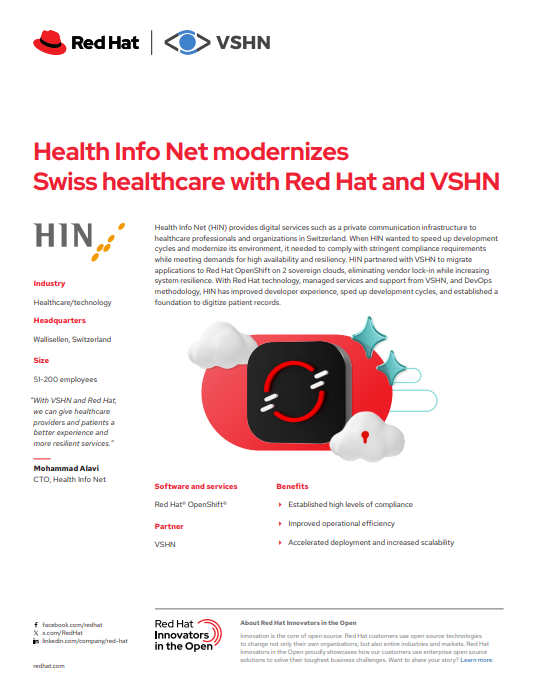
Nun hat die Geschichte eine globale Bühne erreicht: Red Hat hat die Modernisierung von HIN offiziell als globale Customer Success Story veröffentlicht und hat die Story während des Red Hat Summit 2026 in Atlanta am 11. Mai 2026 angekündigt.

Für uns ist das weit mehr als nur ein weiteres Referenzprojekt. Es ist eine starke Bestätigung dafür, dass souveräne, offene und cloud-native Infrastruktur längst kein Nischenthema mehr ist – sondern zu einer strategischen Anforderung für kritische Branchen wie das Gesundheitswesen wird.

Und es zeigt auch etwas Wichtiges: Die Schweiz diskutiert digitale Souveränität nicht mehr nur theoretisch. Sie baut sie aktiv auf.

Warum HIN (Health Info Net) wichtig ist

HIN ist eine der wichtigsten digitalen Gesundheitsplattformen der Schweiz.

Mehr als 50.000 Gesundheitsfachpersonen nutzen HIN-Dienste und über 90 % der relevanten Akteure des Schweizer Gesundheitswesens sind über die Plattform verbunden. Sichere Kommunikation, digitale Identitäten und Vertrauen stehen im Zentrum des Schweizer Gesundheitsökosystems und HIN spielt dabei eine zentrale Rolle.

Damit ist HIN weit mehr als eine normale IT-Plattform. Sie ist Teil der kritischen digitalen Infrastruktur der Schweiz.

Die Modernisierung einer solchen Plattform bedeutet deshalb nicht einfach nur ein Technologie-Upgrade. Es geht um Resilienz, Sicherheit, operative Flexibilität, langfristige Unabhängigkeit und Vertrauen.

Von Legacy-Infrastruktur zu einer souveränen Cloud-Native-Plattform

Wie viele etablierte Organisationen stand auch HIN vor der Herausforderung, eine bewährte und hochvertrauenswürdige Plattform weiterzuentwickeln und gleichzeitig auf zukünftige Anforderungen vorzubereiten.

Das Ziel war nicht Veränderung um der Veränderung willen. Ziel war es, ein modernes Betriebsmodell aufzubauen, das Flexibilität, Automatisierung, Skalierbarkeit und Sicherheit erhöht – ohne Kompromisse bei Stabilität und Zuverlässigkeit.

Gemeinsam mit Red Hat und VSHN modernisierte HIN seine Plattform auf Basis von Red Hat OpenShift und cloud-nativen Technologien.

Das Ergebnis:

  • Eine flexiblere und skalierbarere Plattformarchitektur
  • Mehr Automatisierung und operative Effizienz
  • Stärkere Sicherheitssegmentierung und Zero-Trust-Prinzipien
  • Gateway-API-basierter Schutz für Webanwendungen und APIs
  • Höhere Portabilität und langfristige Unabhängigkeit
  • Eine moderne Grundlage für zukünftige Gesundheitsservices

Ein besonders wichtiger Aspekt war dabei die Vermeidung unnötiger Vendor-Lock-ins.

Digitale Souveränität bedeutet nicht Isolation. Sie bedeutet, die strategische Kontrolle über kritische Infrastruktur, Daten, Betrieb und zukünftige Entscheidungen zu behalten. Offene Standards, Kubernetes und Open Source sind dabei zentrale Bausteine.

Sicherheit und Souveränität gehören zusammen

Gesundheitsplattformen gehören zu den anspruchsvollsten Umgebungen überhaupt, wenn es um Sicherheit und Compliance geht.

Die HIN-Plattform setzt deshalb konsequent auf Defense-in-Depth- und Zero-Trust-Konzepte – unter anderem mit Netzwerk-Mikrosegmentierung, klarer Segmentierung von Workloads und modernen Authentifizierungsmechanismen.

Als Teil dieses cloud-nativen Sicherheitsansatzes setzt HIN auch Airlock Microgateway ein, um Anwendungen und APIs direkt in der OpenShift-Umgebung zu schützen. Dies ermöglicht Kubernetes-nativen Web-Application- und API-Schutz in unmittelbarer Nähe der Workloads und fügt sich nahtlos in ein automatisiertes, containerbasiertes Betriebsmodell ein.

Das ist ein wichtiger Punkt, der in Souveränitätsdiskussionen oft vergessen geht:
Offene Infrastruktur und digitale Souveränität stehen nicht im Widerspruch zu Sicherheit – sie können Sicherheit sogar deutlich stärken.

Cloud-native Architekturen ermöglichen hochautomatisierte, resiliente und observierbare Systeme und gleichzeitig eine starke Kontrolle darüber, wo und wie Workloads betrieben werden.

Anerkennung über die Schweiz hinaus

Dieses Projekt hat inzwischen auf mehreren Ebenen Anerkennung erhalten.

Bereits Anfang des Jahres erhielt VSHN für den gemeinsamen Erfolg mit HIN den Red Hat Partner Award 2025 für Platform Modernization.

Nun hat Red Hat die Geschichte zusätzlich mit einer offiziellen globalen Success Story hervorgehoben – angekündigt während des Red Hat Summit 2026 in Atlanta.

Für uns geht es bei dieser Anerkennung nicht nur um VSHN. Sie zeigt vor allem die wachsende Bedeutung souveräner digitaler Infrastruktur in Europa und der Schweiz.

Und sie zeigt, dass Open Source, Kubernetes und cloud-native Betriebsmodelle längst keine rein technischen Themen mehr sind. Sie werden zunehmend zu strategischen Grundlagen für kritische Branchen und öffentliches Vertrauen.

Ein Blueprint für souveräne digitale Infrastruktur

Wir glauben, dass die HIN-Story für mehr steht als nur für ein einzelnes Modernisierungsprojekt.

Organisationen in ganz Europa hinterfragen derzeit:

  • Abhängigkeiten von Hyperscalern
  • operative Resilienz
  • Datenhoheit
  • Risiken in der Lieferkette
  • langfristige Plattformstrategien
  • Anforderungen an digitale Souveränität

Im Gesundheitswesen werden diese Herausforderungen besonders greifbar.

HIN zeigt, dass moderne souveräne Infrastruktur heute bereits möglich ist – mit Open Source, starken Ökosystem-Partnerschaften und cloud-nativen Betriebsmodellen.

Und vielleicht am wichtigsten: Digitale Souveränität kann praktisch, operationalisiert und produktiv betrieben werden.

Nicht als Zukunftsvision. Sondern als Infrastruktur, die heute bereits läuft.

Solche Projekte entstehen nicht allein durch Technologie. Ein grosses Dankeschön an das gesamte HIN-Team für die hervorragende Zusammenarbeit und das Vertrauen und an alle VSHNeers, die dieses Projekt mit unglaublich viel Engagement möglich gemacht haben.

Case Study herunterladen

Health Info Net is modernizing healthcare with Red Hat and VSHN.

Mehr erfahren

👉 Red Hat Success Story

👉 Red Hat Case Study

👉 VSHN HIN Success Story

👉 Red Hat Partner Award Ankündigung

Markus Speth

Marketing, Communications, People

Kontaktiere uns

Unser Expertenteam steht für dich bereit. Im Notfall auch 24/7.

Kontakt
OpenShift Presse

Security Update: Red Hat Consulting GitLab Incident

3. Okt. 2025

Red Hat has recently disclosed a security incident involving its Consulting team’s GitLab instance. In this case, attackers gained unauthorized access to parts of that system, which contained project files from specific customer engagements. Importantly, this incident did not affect Red Hat’s products, subscription services, or customer support systems.

At VSHN, we have carefully reviewed the situation. Our Managed OpenShift service and customer environments are not affected by this incident:

  • We operate our own GitLab infrastructure for all customer repositories.
  • We do not rely on Red Hat Consulting services in delivering our products.
  • Our Managed OpenShift operations are isolated from third-party consulting platforms.
  • The leaked listing does not contain VSHN or its customers.

Although this incident has no direct impact on VSHN customers, we continue to closely monitor security advisories from Red Hat and other partners. Security is a shared responsibility, and we remain committed to protecting our customers’ data and platforms with the highest standards.

For details on the Red Hat incident, see the official Red Hat statement: https://www.redhat.com/en/blog/security-update-incident-related-red-hat-consulting-gitlab-instance

Leaked listing of the affected repositories: https://securitronlinux.com/linux/Paste.html

If you have any questions about this, please don’t hesitate to contact us: https://www.vshn.ch/en/contact/

Aarno Aukia

Aarno ist Mitgründer der VSHN AG und als CTO für die technische Begeisterung zuständig.

Kontaktiere uns

Unser Expertenteam steht für dich bereit. Im Notfall auch 24/7.

Kontakt
Allgemein OpenShift Presse

VSHN und IONOS gewinnen Red Hat Cloud Ecosystem Award

19. Nov. 2024

Breaking News: VSHN und IONOS gewinnen den Cloud Ecosystem Award auf dem Partner Day beim Red Hat Summit: Connect Germany 2024 in Darmstadt!

Wir freuen uns riesig euch mitzuteilen, dass VSHN – The DevOps Company und IONOS mit dem Cloud Ecosystem Award auf dem Red Hat Summit: Connect Germany 2024 ausgezeichnet wurden! Diese Ehrung würdigt unsere gemeinsame Innovation und die herausragende Zusammenarbeit bei unserer Lösung: VSHN Managed OpenShift auf IONOS.

Innovation in der Cloud auf höchstem Niveau

Der Cloud Ecosystem Award zeichnet Unternehmen aus, die Grenzen überschreiten, um innovative Cloud-Lösungen bereitzustellen und den Erfolg ihrer Kunden zu fördern. Diese Auszeichnung zeigt, wie perfekt VSHN’s Expertise in Managed OpenShift mit der leistungsstarken und skalierbaren Infrastruktur von IONOS harmoniert.

Gemeinsam haben wir eine Lösung geschaffen, die Unternehmen die volle Power von Red Hat OpenShift, der führenden Kubernetes-Plattform von Red Hat, bietet – und das ohne die Komplexität von Management und Betrieb. Unsere Kunden profitieren von einer Cloud-Native-Erfahrung, die sicher, zuverlässig und an ihre individuellen Bedürfnisse angepasst ist.

Warum ist VSHN Managed OpenShift auf IONOS so besonders?

  • Einzigartige Expertise: VSHN bringt jahrelange Erfahrung in der Verwaltung von OpenShift-Clustern mit und bietet einen unvergleichlichen Managed Service.
  • Flexible und skalierbare Infrastruktur: IONOS liefert eine leistungsstarke europäische Cloud-Umgebung mit Enterprise-Level-Zuverlässigkeit.
  • Kundenfokus: Gemeinsam sorgen wir für eine reibungslose und stressfreie Kubernetes-Einführung.
  • Engagement für Open Source: Mit Red Hat OpenShift setzen wir auf Transparenz, Zusammenarbeit und modernste Technologie.

Unsere Partnerschaft unterstreicht unsere gemeinsame Vision, DevOps und Kubernetes für Unternehmen jeder Grösse zugänglich, effizient und skalierbar zu machen.

Ein Meilenstein für VSHN und IONOS

Der Gewinn des Cloud Ecosystem Awards ist nicht nur eine Anerkennung unserer technischen Exzellenz, sondern auch ein Beweis für die Stärke von Partnerschaften. Mit VSHN’s DevOps-Know-how und den Cloud-Möglichkeiten von IONOS haben wir die Art und Weise, wie Unternehmen Kubernetes in der Cloud nutzen, neu definiert.

Auf dem Red Hat Summit: Connect Germany 2024 standen unsere Innovation und unser Kundennutzen im Mittelpunkt. Diese Auszeichnung bestätigt unsere Arbeit und motiviert uns, die Grenzen dessen, was im Cloud-Ökosystem möglich ist, weiter zu verschieben.

Was kommt als Nächstes?

Wir bleiben unserem Ziel treu, Unternehmen mit fortschrittlichen Cloud-Native-Lösungen zu unterstützen. Mit der Anerkennung durch den Cloud Ecosystem Award sind wir motivierter denn je, unsere Angebote weiter zu verbessern, unsere Kunden zu unterstützen und Innovationen in der Cloud voranzutreiben.

VSHN Application Marketplace jetzt auch auf IONOS verfügbar

Nach cloudscale, Exoscale und Enterprise-On-Premises machen wir den nächsten grossen Schritt: Der VSHN Application Marketplace ist ab sofort auch bei IONOS verfügbar. Dem ersten bereits verfügbaren Service Managed OpenShift von Red Hat werden viele weitere Angebote und Services von ISV’s folgen (siehe unsere bereits verfügbaren Services im VSHN Application Catalog).

Damit setzen wir unsere Vision um, souveräne und leistungsstarke Services gemeinsam mit starken Partnern bereitzustellen. Zusammen mit IONOS eröffnen wir dir neue Möglichkeiten, innovative Anwendungen nahtlos und flexibel in Europa zu betreiben – immer mit deinem Bedarf im Fokus.

Entdecke jetzt, wie wir die Zukunft der Cloud-Technologie gemeinsam gestalten.

Erfahre mehr in unserem Webinar

Vielen Dank!

Ein riesiges Dankeschön an unser Team bei VSHN, unseren Partner IONOS und natürlich an euch – unsere Kunden, die uns ihr Vertrauen schenken. Gemeinsam gestalten wir die Zukunft von DevOps und Cloud Computing.

Bleibt dran für weitere spannende Updates und begleitet uns auf dieser aufregenden Reise!

Über VSHN
VSHN ist das führende Schweizer DevOps-Unternehmen und unterstützt Unternehmen mit Managed Services, Cloud-Native-Lösungen und Kubernetes-Expertise.

Über IONOS
IONOS ist einer der führenden Cloud-Anbieter in Europa und bietet ein umfassendes Portfolio an skalierbaren, sicheren und zuverlässigen Cloud-Lösungen.

Mehr erfahren:

Markus Speth

Marketing, Communications, People

Kontaktiere uns

Unser Expertenteam steht für dich bereit. Im Notfall auch 24/7.

Kontakt
OpenShift Tech

VSHN Managed OpenShift: What you need to know about OpenShift 4.16

16. Okt. 2024

Upgrade to OpenShift version 4.16

As we start to prepare the upgrade to OpenShift v4.16 for all our customers clusters, it is a good opportunity to look again at what’s new in the Red Hat OpenShift 4.16 release. The release is based on Kubernetes 1.29 and CRI-O 1.29 and brings a handful of exciting new features which will make VSHN Managed OpenShift even more robust. Additionally, the new release also deprecates some legacy features which may require changes in your applications.

The Red Hat infographic highlights some of the key changes:

Red Hat OpenShift 4.16: What you need to know Infographic by Ju Lim

Changes which may require user action across all VSHN Managed OpenShift, including APPUiO

For VSHN Managed OpenShift, we’re highlighting the following changes which may require user action in our Release notes summary

Clusters which use OpenShift SDN as the network plugin can’t be upgraded to OpenShift 4.17+

This doesn’t affect most of the VSHN Managed OpenShift clusters since we’ve switched to Cilium as the default network (CNI) plugin a while ago and most of our older managed clusters have been migrated from OpenShift SDN to Cilium over the last couple of months.

The proxy service for the cluster monitoring stack components is changed from OpenShift OAuth to kube-rbac-proxy

Users who use custom integrations with the monitoring stack (such as a Grafana instance which is connected to the OpenShift monitoring stack) may need to update the RBAC configuration for the integration. If necessary, we’ll reach out to individual VSHN Managed OpenShift customers once we know more.

The ingress controller HAProxy is updated to 2.8

HAProxy 2.8 provides multiple options to disallow insecure cryptography. OpenShift 4.16 enables the option which disallows SHA-1 certificates for the ingress controller HAProxy. If you’re using Let’s Encrypt certificates for your applications no action is needed. If you’re using manually managed certificates for your Routes or Ingresses, you’ll need to ensure that you’re not using SHA-1 certificates.

Legacy service account API token secrets are no longer generated

In previous OpenShift releases, a legacy API token secret was created for each service account to enable access to the integrated OpenShift image registry. Starting with this release, these legacy API token secrets aren’t generated anymore. Instead, each service account’s image pull secret for the integrated image registry uses a bound service account token which is automatically refreshed before it expires.

If you’re using a service account token to access the OpenShift image registry from outside the cluster, you should create a long-lived token for the service account. See the Kubernetes documentation for details.

Linux control groups version 1 (cgroupv1) deprecated

The default cgroup version has been v2 for the last couple OpenShift releases. Starting from OpenShift 4.16, cgroup v1 is deprecated and it will be removed in a future release. The underlying reason for the pending removal is that Red Hat Enterprise Linux (RHEL) 10 and therefore also Red Hat CoreOS (RHCOS) 10 won’t support booting into cgroup v1 anymore.

If you’re running Java applications, we recommend that you make sure that you’re using a Java Runtime version which supports cgroup v2.

Warning for iptables usage

OpenShift 4.16 will generate warning event messages for pods which use the legacy IPTables kernel API, since the IPTables API will be removed in RHEL 10 and RHCOS 10.

If your software still uses IPTables, please make sure to update your software to use nftables or eBPF. If you are seeing these events for third-party software that isn’t managed by VSHN, please check with your vendor to ensure they will have an nftables or eBPF version available soon.

Other changes

Additionally, we’re highlighting the following changes:

RWOP with SELinux context mount is generally available

OpenShift 4.16 makes the ReadWriteOncePod access mode for PVs and PVCs generally available. In contrast to RWO where a PVC can be used by many pods on a single node, RWOP PVCs can only be used by a single pod on a single node. For CSI drivers which support RWOP, the SELinux context mount from the pod or container is used to mount the volume directly with the correct SELinux labels. This eliminates the need to recursively relabel the volume and can make pod startup significantly faster.

However, please note that VSHN Managed OpenShift doesn’t yet support the ReadWriteOncePod access mode on all supported infrastructure providers. Please reach out to us if you’re interested in this feature.

Monitoring stack replaces prometheus-adapter with metrics-server

OpenShift 4.16 removes prometheus-adapter and introduces metrics-server to provide the metrics.k8s.io API. This should reduce load on the cluster monitoring Prometheus stack.

Exciting upcoming features

We’re also excited about multiple upcoming features which aren’t yet generally available in OpenShift 4.16:

Node disruption policies

We’re looking forward to the “Node disruption policy” feature which will allow us to deploy some node-level configuration changes without node reboots. This should reduce the need for scheduling node-level changes to be rolled out during maintenance, and will enable us to say confidently whether a node-level change requires a reboot or not.

Route with externally managed certificates

OpenShift 4.16 introduces support for routes with externally managed certificates as a tech preview feature. We’re planning to evaluate this feature and make it available in VSHN Managed OpenShift once it reaches general availability.

This feature will allow users to request certificates with cert-manager (for example from Let’s Encrypt) and reference the cert-manager managed secret which contains the certificate directly in the Route instead of having to create an Ingress resource (that’s then translated to an OpenShift Route) which references the cert-manager certificate.

Changes not relevant to VSHN customers

There are a number of network related changes in this release, but these are not relevant for VSHN managed clusters as these are mostly running Cilium. In particular, OVNKubernetes gains support for AdminNetworkPolicy resources, which provide a mechanism to deploy cluster-wide network policies. Please note that similar results should be achievable with Cilium’s CiliumClusterWideNetworkPolicy resources, and Cilium is actively working on implementing support for AdminNetworkPolicy.

Summary

OpenShift 4.16 brings deprecates some features which may require changes to your applications in order to make future upgrades as smooth as possible. Additionally, OpenShift 4.16 is the last release that supports OpenShift SDN as the network plugin and disables support for SHA-1 certificates in the ingress controller. For those interested in the nitty gritty details of the OpenShift 4.16 release, we refer you to the detailed Red Hat release notes, which go through everything in detail.

VSHN customers will be notified about the upgrades to their specific clusters in the near future.

Interested in VSHN Managed OpenShift?

Head over to our product page VSHN Managed OpenShift to learn more about how VSHN can help you operate your own OpenShift cluster including setup, 24/7 operation, monitoring, backup and maintenance. Hosted in a public cloud of your choice or on-premises in your own data center. 

Simon Gerber

Simon Gerber ist ein DevOps-Ingenieur bei VSHN.

Kontaktiere uns

Unser Expertenteam steht für dich bereit. Im Notfall auch 24/7.

Kontakt
OpenShift Tech

VSHN Managed OpenShift: Upgrade to OpenShift version 4.15

17. Juli 2024

As we start to prepare to rollout upgrades to OpenShift v4.15 across all our customers clusters it is a good opportunity to look again at what was in the Red Hat OpenShift 4.15 release. It brought Kubernetes 1.28 and CRI-O 1.28 and it was largely focused on small improvements in the core platform and enhancements to how OpenShift runs on underlying infrastructure including bare-metal and public cloud providers.

The Red Hat infographic highlights some of the key changes:

What’s New in Red Hat OpenShift 4.15 Infographic by Sunil Malagi

For our VSHN Managed OpenShift and APPUiO customers, we want to highlight the key changes in the release that are relevant for them.

Across all VSHN Managed OpenShift clusters – including APPUiO

Our summary highlights that apply are the following:

  • OpenShift 4.15 is based on Kubernetes 1.28 and CRI-O 1.28
  • Update to CoreDNS 1.11.1
  • There are some node enhancements (such faster builds for unprivileged pods, and compatibility of multiple image repository mirroring objects)
  • The release also brings updated versions for the monitoring stack (Alertmanager to 0.26.0, kube-state-metrics to 2.10.1, node-exporter to 1.7.0, Prometheus to 2.48.0, Prometheus Adapter to 0.11.2, Prometheus Operator to 0.70.0, Thanos Querier to 0.32.5)
  • It also includes some additional improvements and fixes to the monitoring stack
  • There are some changes to the Bare-Metal Operator so that it now automatically powers off any host that is removed from the cluster
  • There are some platform fixes including some security related ones like securing the cluster metrics port using TLS
  • OLM (Operator Lifecycle Management is being introduced as v1 and this brings three new life cycle classifications for cluster operators that are being introduced: Platform Aligned, for operators whose maintenance streams align with the OpenShift version; Platform Agnostic, for operators who make use of maintenance streams, but they don’t need to align with the OpenShift version; and Rolling Stream, for operators which use a single stream of rolling updates.

On VSHN Managed OpenShift clusters with optional features enabled

The changes that might relate to some VSHN Managed OpenShift customers who have optional features enabled would include:

  • OpenShift Service Mesh 2.5 based on Istio 1.18 and Kiali 1.73
  • Enhancements to RHOS Pipelines
  • Machine API – Defining a VMware vSphere failure domain for a control plane machine set (Technology Preview)
  • Updates to hosted control planes within OSCP
  • Bare-Metal hardware provisioning fixes

Changes not relevant to VSHN customers

There are a number of network related changes in this release, but these are not relevant for VSHN managed clusters as these are mostly running Cilium. It is also interesting to note the deprecation of the OpenShift SDN network plugin, which means no new clusters can leverage that setup. Additionally, there are new features related to specific cloud providers (like Oracle Cloud Infrastructure) or specific hardware stacks (like IBM Z or IBM Power).

The changes to handling storage and in particular storage appliances is also not relevant for VSHN customers as none of the storage features affect how we handle our storage on cloud providers or on-prem.

Features in OpenShift open to customer PoCs before we enable for all VSHN customers

We do have an interesting customer PoC with Red Hat OpenShift Virtualization which is an interesting feature that continues to mature in OpenShift 4.15. We are excited to see the outcome of this PoC and to potentially making that available to all our customers looking to leverage VMs inside OpenShift. We know due to the pricing changes from Broadcom that this is an area many companies and organizations are looking at. Moving from OpenShift running on vSphere to running on bare metal and having VMs inside OpenShift is an exciting transformation, and we hope to be able to bring an update on this in an upcoming separate blog post.

Likewise, we are open to customers who would like to explore leveraging OpenShift Serverless (now based on Knative 1.11 in Openshift 4.15) or perhaps with the new OpenShift Distributed Tracing Platform that is now at version 3.2.1 in the OpenShift 4.15 release (this version includes both the new platform based on Tempo and the now deprecated version based on Jaeger). This can also be used together with the Red Hat Open Telemetry Collector in OpenShift 4.15. There are also new versions of OpenShift Developer Hub (based on Backspace), OpenShift Dev Spaces and OpenShift Local. These are all interesting tools, part of the Red Hat OpenShift Container Platform.

If any of the various platform features are interesting for any existing or new VSHN customers, we would encourage you to reach out so we can discuss potentially doing a PoC together.

Summary

Overall, OpenShift 4.15 brings lots of small improvements but no major groundbreaking features from the perspective of the clusters run by VSHN customers. For those interested in the nitty gritty details of the OpenShift 4.15 release, we refer you to the detailed Red Hat release notes, which go through everything in detail.

VSHN customers will soon be notified about the upgrades to their specific clusters.

Interested in VSHN Managed OpenShift?

Head over to our product page VSHN Managed OpenShift to learn more about how VSHN can help you operate your own OpenShift cluster including setup, 24/7 operation, monitoring, backup and maintenance. Hosted in a public cloud of your choice or on-premises in your own data center. 

Markus Speth

Marketing, Communications, People

Kontaktiere uns

Unser Expertenteam steht für dich bereit. Im Notfall auch 24/7.

Kontakt