
Writing a Kubernetes Cluster Autoscaler Provider with externalgrpc


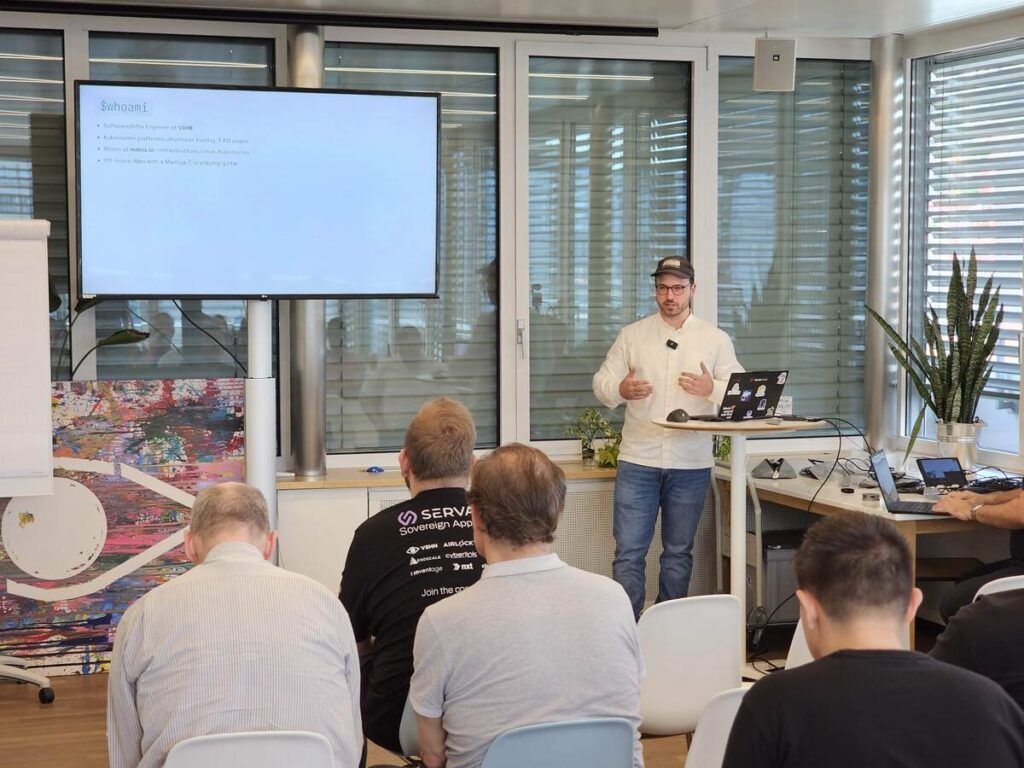
Teaching Cluster Autoscaler to speak cloudscale.ch without forking the autoscaler or waiting for an upstream provider integration.
Introduction
What do you do when Kubernetes Cluster Autoscaler supports the scaling logic you need, but not the cloud provider you run on?
That was the problem behind this experiment. I wanted Cluster Autoscaler to work on cloudscale.ch. There was no upstream provider for it, and I did not want to fork the autoscaler or carry an in-tree provider forever.
The answer was externalgrpc: a cloud provider integration mode that lets Cluster Autoscaler keep its core decision logic while delegating cloud-specific actions to a separate gRPC service.
This post walks through how Cluster Autoscaler makes scaling decisions, what the provider contract looks like, how externalgrpc fits into the architecture, and the practical gotchas I ran into while building an autoscaler provider for cloudscale.ch.
The autoscaler knows when, not how
The first important mental model is this:
Cluster Autoscaler knows when the cluster should scale, but it does not inherently know how to create or delete machines.
The core autoscaler logic decides things like:
- Are there pending Pods that cannot be scheduled anywhere?
- Would those Pods fit on a node from a configured node group?
- Has a node been idle long enough that its Pods could be moved elsewhere?
- Which node group should be increased or decreased?
What it does not know is how to create a VM, which image to use, how to pass bootstrap data, how the node joins the cluster, or how to delete the machine again.
That part is delegated to a cloud provider plugin.
For large providers, there are already in-tree implementations. But if your provider is not on the list, you need another strategy.
What happens every 10 seconds
By default, Cluster Autoscaler runs a reconciliation loop roughly every 10 seconds. In each loop, it asks a set of questions:
- Are there unschedulable Pods?
- Would those Pods fit on a node from a configured node group?
- If yes, call
NodeGroupIncreaseSize(group, delta). - Are there nodes that have been idle for long enough?
- Can their Pods be rescheduled elsewhere?
- If yes, call
NodeGroupDeleteNodes(group, nodes).
The provider does not make these decisions. The provider only receives the result of the decision, for example: “increase this node group by three nodes.”
That separation is useful. It means a provider implementation can stay relatively small. The hard Kubernetes scheduling logic remains in Cluster Autoscaler.
The simulator is the scheduler
Cluster Autoscaler does not reimplement Kubernetes scheduling from scratch. It imports the Kubernetes scheduler framework and uses the same kinds of filter logic the scheduler uses.
That includes scheduling constraints such as:
- node resource fit
- node affinity
- taints and tolerations
- topology spread constraints
- inter-pod affinity
- volume binding
- node ports
- volume limits
The autoscaler runs these checks against an in-memory snapshot of the cluster. For scale-down, it can simulate removing candidate nodes and see whether their Pods would fit elsewhere. For scale-up, it can simulate whether pending Pods would fit on a hypothetical node from a node group.
That is where one of the most important provider methods comes in: NodeGroupTemplateNodeInfo.
Node groups, flavours, and choosing what to scale
If the cloud provider supports multiple VM types, sizes, or flavours, the provider usually exposes those as separate node groups. For example, one node group might represent small general-purpose workers, another might represent larger memory-optimized workers, and another might represent nodes with different labels or taints.
Cluster Autoscaler then runs the simulation against the configured node groups. If more than one group could fit the pending Pods, the configured expander decides which group wins. Depending on configuration, that can be random, most-pods, least-waste, price, priority, or another supported strategy.
This gives you a useful amount of flexibility, but it is still not Karpenter. Cluster Autoscaler chooses from node groups that already exist as configured abstractions. Karpenter has a more dynamic provisioning model and can reason more directly about instance types, constraints, and provisioning choices.
So the mental model is:
- Cluster Autoscaler: choose between predefined node groups
- Karpenter: more dynamic node provisioning based on workload requirements and available instance types
For an externalgrpc provider, this means the provider should model each relevant cloudscale.ch flavour as a node group, return accurate template node information for each one, and let the autoscaler’s simulator and expander decide which group should grow.
Why externalgrpc?
If your cloud provider is not supported upstream, there are three realistic options:
| Approach | What it means | Trade-off |
|---|---|---|
| Upstream in-tree provider | Add your provider to kubernetes/autoscaler | High review and maintenance burden, tied to upstream release cycles |
| Fork Cluster Autoscaler | Maintain your own autoscaler build | Maximum control, but you own the fork forever |
externalgrpc | Run a standalone provider service over gRPC | Separate release cycle, language-agnostic, small provider surface |
For cloudscale.ch, externalgrpc was the pragmatic option.
It avoids the need to become an upstream autoscaler maintainer. It avoids carrying a fork. And because the provider is just a gRPC service, it can be implemented in any language. In this case, I used Go.
At the time of writing, it also aligns well with where the autoscaler project appears to be heading. The ongoing SIG Autoscaling refactor proposal points toward splitting provider implementations out of the main autoscaler repository. In that future, providers would either consume the autoscaler core as a library or communicate out of process via externalgrpc.
For an independent provider implementation, that makes externalgrpc a good escape hatch.
Architecture
At a high level, the architecture looks like this:
Pending Pods
    |
    v
Cluster Autoscaler
    |
    | gRPC over mTLS
    v
autoscaler-cloudscale
    |
    | cloudscale.ch REST API
    v
cloudscale.ch VMs
    |
    v
VM boots, kubelet joins, CCM stamps providerID
The Cluster Autoscaler remains the brain. It watches the Kubernetes cluster, notices pending Pods, runs scheduling simulations, and decides whether a node group should grow or shrink.
The external provider is the hands. It receives requests from Cluster Autoscaler and performs cloud-specific actions:
- list cloudscale.ch servers
- create VMs
- tag VMs
- delete VMs
- map Kubernetes nodes back to cloudscale.ch servers
The provider also needs configuration for node groups, for example:
nodeGroups:
  - name: worker
    flavor: flex-8-2
    min: 1
    max: 5
    image: custom:talos-1.13.2
    userData: @talos
    tag: k8s-autoscaler-group
In my setup, the VM bootstrap is handled through Talos Linux machine configuration passed as user data. The VM boots, Talos configures the node, kubelet joins the cluster, and the cloud controller manager stamps the node with a provider ID.
That provider ID is critical. Without it, the autoscaler cannot reliably connect a Kubernetes Node back to the corresponding cloud VM. Scale-down depends on this mapping.
The provider contract: six important RPCs
The externalgrpc proto contains more methods, but the core provider behavior is built around a small set of RPCs:
| RPC | Purpose |
|---|---|
Refresh | Reconcile provider state with the cloud |
NodeGroups | Return configured node groups |
NodeGroupForNode | Map a Kubernetes node to a node group |
NodeGroupTemplateNodeInfo | Describe what a new node would look like |
NodeGroupIncreaseSize | Create new servers for a node group |
NodeGroupDeleteNodes | Delete specific servers |
The remaining methods are either bookkeeping or can be implemented as explicit Unimplemented stubs, as long as the service satisfies the proto contract.
The most important design decision is to make the cloud provider the source of truth. Do not trust only local state. VMs can be manually deleted, failed creates can leave partial state, and API calls can fail halfway through.
In practice, Refresh lists servers from the cloud provider API, filtered by tags, and rebuilds the provider’s internal view.
Conceptually:
servers, err := api.Servers.List(ctx, cloudscale.WithTagFilter(tags))
if err != nil {
    return err
}

byUUID := make(map[string]*cloudscale.Server, len(servers))
for i := range servers {
    byUUID[servers[i].UUID] = &servers[i]
}

cache.Store(byUUID)
Tags are what scope the provider to the right cluster and node group. In this implementation, group membership is represented with a tag such as:
k8s-autoscaler-group=<name>
TemplateNodeInfo: modelling future nodes
When scaling from zero, there may be no real worker node in the cluster. So how can Cluster Autoscaler know whether a pending Pod would fit on a node that does not exist yet?
The provider has to describe what a future node would look like.
NodeGroupTemplateNodeInfo returns a synthetic Kubernetes Node object. This object tells the autoscaler things like:
- CPU capacity
- memory capacity
- disk-related properties
- labels
- taints
- allocatable resources
- maximum Pod count
- special devices or constraints
This is where the provider has to “lie” to the autoscaler, but only in a very specific sense. The node is not real yet. It is a placeholder used for scheduling simulation.
As an analogy, this is conceptually similar to the idea of virtual nodes: an object that represents capacity that is not currently a normal worker node. This is only an analogy, not Virtual Kubelet and not a real virtual-node implementation. Cluster Autoscaler does not schedule Pods onto this synthetic node. It uses the template to answer the question: “If I created a node like this, would these pending Pods fit?”
In other words, the template node is not runtime capacity. It is simulated future capacity.
One easy mistake is to expose the raw VM flavor as the node capacity without accounting for kubelet reservations, system reservations, or eviction thresholds. A VM with 8 GiB of memory does not have 8 GiB of allocatable memory for workload Pods.
Another easy mistake is forgetting to set ResourcePods. If the template node says it can run zero Pods, the autoscaler will correctly conclude that no workload can ever fit there.
That bug is wonderfully frustrating: everything looks wired up, the autoscaler runs, but nothing scales.
Creating nodes: target size first, VM later
When Cluster Autoscaler decides to increase a node group, it calls NodeGroupIncreaseSize with a delta.
The provider then needs to:
- Increase the target size in its own node group state.
- Create the requested number of VMs.
- Tag them correctly.
- Pass the bootstrap configuration.
- Wait for the nodes to appear in Kubernetes.
- Let
Refreshreconcile the actual cloud state again.
It is important to distinguish three different states: desired capacity, in-flight capacity, and joined Kubernetes nodes. A VM may be requested but not yet visible, booting but not yet joined, or joined but not yet Ready. During that period, Cluster Autoscaler must not repeatedly create more and more machines every 10 seconds.
Cluster Autoscaler also has guardrails for failed provisioning. If a node does not join within the configured provisioning duration, the autoscaler can treat that scale-up as failed and move on.
Bootstrapping with Talos
In this implementation, node bootstrap is intentionally kept outside the autoscaler’s core logic.
The node group config contains the Talos machine configuration as user data. When autoscaler-cloudscale creates a VM, it passes that user data to cloudscale.ch. Talos then handles the rest:
- boot the custom image
- apply machine configuration
- use the configured certificates and join tokens
- start kubelet
- join the Kubernetes cluster
This keeps the provider focused on VM lifecycle management rather than becoming a full cluster lifecycle engine.
The one hard requirement is that the cluster has a working cloud controller manager. It must stamp Kubernetes nodes with a provider ID, because that is the bridge between Kubernetes objects and cloudscale.ch servers.
No provider ID means no reliable scale-down.
Demo: scale from zero workers
The demo shows a Kubernetes cluster on cloudscale.ch starting with only a control plane node and no workers. Workload pressure is then applied to trigger the autoscaler and the external provider.
To generate that pressure, the demo deploys 50 replicas of the Kubernetes pause container with small CPU and memory requests – a deliberately boring Deployment that exists only to create scheduling demand.
apiVersion: apps/v1
kind: Deployment
metadata:
  name: scale-demo
spec:
  replicas: 50
  selector:
    matchLabels:
      app: scale-demo
  template:
    metadata:
      labels:
        app: scale-demo
    spec:
      containers:
        - name: pause
          image: registry.k8s.io/pause:3.9
          resources:
            requests:
              cpu: 500m
              memory: 128Mi
The Pods could not be scheduled because there were no worker nodes. Cluster Autoscaler noticed the pending Pods, simulated whether they would fit on a node from the configured worker group, and called the external provider.
The provider created three cloudscale.ch VMs. They booted the Talos image, installed to disk, rebooted, joined the cluster, and eventually became Ready. At that point, Kubernetes could schedule some of the pending Pods onto the new workers.
The important part of the demo is not the exact terminal output. It is the separation of responsibilities:
- Kubernetes produced pending Pods.
- Cluster Autoscaler simulated future capacity using
TemplateNodeInfo. - The expander selected a configured node group.
- The externalgrpc provider created the cloudscale.ch VMs.
- Talos bootstrapped the nodes into the cluster.
- The CCM stamped provider IDs so the autoscaler could map Kubernetes nodes back to cloud VMs.
That makes the demo a useful validation of the whole architecture without turning the blogpost into a screen-recording transcript.
Gotchas
1. TemplateNodeInfo is easy to get subtly wrong
The autoscaler’s decision quality depends heavily on the synthetic node returned by NodeGroupTemplateNodeInfo.
If allocatable CPU or memory is too optimistic, the autoscaler may under-scale. If it is too pessimistic, it may over-scale. If ResourcePods is missing or zero, nothing will schedule at all.
This method feeds both scale-from-zero and the internal “upcoming node” logic. Treat it as part of the scheduling model, not as a cosmetic metadata method.
2. Tags are not optional
Tags are how the provider knows which cloud VMs belong to which cluster and node group.
Without consistent tags, Refresh cannot reliably reconcile state. Scale-down becomes dangerous because the provider cannot know which machine corresponds to which Kubernetes node.
3. The cloud is the source of truth
Local state is useful, but it is not authoritative.
Manual deletes, failed creates, partial outages, quota issues, and API timeouts all happen. Refresh should reconcile against the provider API every loop and rebuild the cache from reality.
4. Lock ordering matters
Provider implementations often keep shared caches plus per-node-group state. If multiple mutexes are involved, lock ordering needs to be consistent.
One subtle bug here was a potential deadlock between Refresh and target-size updates. The fix was to always acquire locks in the same order.
5. No CCM, no reliable scale-down
A cloud controller manager is not just a nice addition. It is what stamps the Kubernetes node with the providerID that lets the autoscaler map a Kubernetes Node to a cloud VM.
Scale-up can appear to work without a complete mapping. Scale-down will not be safe.
Takeaways
Writing a Cluster Autoscaler provider is less about reimplementing autoscaling and more about providing the missing cloud-specific glue.
Cluster Autoscaler already knows how to:
- detect pending Pods
- simulate scheduling
- account for DaemonSets
- apply backoff
- choose node groups
- avoid duplicate scale-ups
- decide when nodes can be removed
The provider needs to know how to:
- describe a future node accurately
- create VMs
- delete VMs
- tag resources
- reconcile cloud state
- map Kubernetes nodes back to cloud resources
- bootstrap machines into the cluster
With externalgrpc, that provider can live as a standalone binary with its own release cycle. For unsupported clouds, lab environments, private infrastructure providers, or sovereign cloud platforms, that is a very practical integration model.
In this case, the result was a small Go service that taught Cluster Autoscaler how to operate on cloudscale.ch without modifying the autoscaler itself.
The autoscaler remained the brain. The external provider became the hands.
That is the real value of externalgrpc. It is not the most glamorous integration point, but it is exactly the right abstraction when you want to keep autoscaling logic upstream and put cloud-specific lifecycle logic in your own hands.
If you’d like to dive deeper, check out the blog post on my personal blog, where I explore the topic in more detail.
