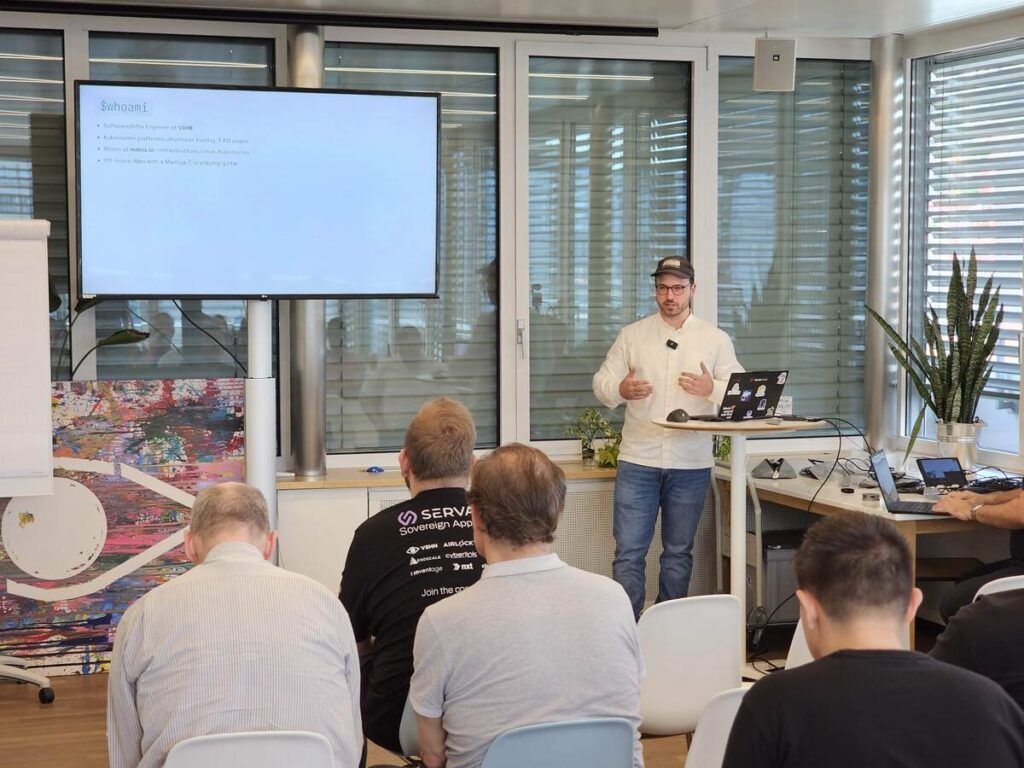
Kubernetes Tech

Writing a Kubernetes Cluster Autoscaler Provider with externalgrpc

27. May 2026

Teaching Cluster Autoscaler to speak cloudscale.ch without forking the autoscaler or waiting for an upstream provider integration.

Introduction

What do you do when Kubernetes Cluster Autoscaler supports the scaling logic you need, but not the cloud provider you run on?

That was the problem behind this experiment. I wanted Cluster Autoscaler to work on cloudscale.ch. There was no upstream provider for it, and I did not want to fork the autoscaler or carry an in-tree provider forever.

The answer was externalgrpc: a cloud provider integration mode that lets Cluster Autoscaler keep its core decision logic while delegating cloud-specific actions to a separate gRPC service.

This post walks through how Cluster Autoscaler makes scaling decisions, what the provider contract looks like, how externalgrpc fits into the architecture, and the practical gotchas I ran into while building an autoscaler provider for cloudscale.ch.

The autoscaler knows when, not how

The first important mental model is this:

Cluster Autoscaler knows when the cluster should scale, but it does not inherently know how to create or delete machines.

The core autoscaler logic decides things like:

  • Are there pending Pods that cannot be scheduled anywhere?
  • Would those Pods fit on a node from a configured node group?
  • Has a node been idle long enough that its Pods could be moved elsewhere?
  • Which node group should be increased or decreased?

What it does not know is how to create a VM, which image to use, how to pass bootstrap data, how the node joins the cluster, or how to delete the machine again.

That part is delegated to a cloud provider plugin.

For large providers, there are already in-tree implementations. But if your provider is not on the list, you need another strategy.

What happens every 10 seconds

By default, Cluster Autoscaler runs a reconciliation loop roughly every 10 seconds. In each loop, it asks a set of questions:

  1. Are there unschedulable Pods?
  2. Would those Pods fit on a node from a configured node group?
  3. If yes, call NodeGroupIncreaseSize(group, delta).
  4. Are there nodes that have been idle for long enough?
  5. Can their Pods be rescheduled elsewhere?
  6. If yes, call NodeGroupDeleteNodes(group, nodes).

The provider does not make these decisions. The provider only receives the result of the decision, for example: “increase this node group by three nodes.”

That separation is useful. It means a provider implementation can stay relatively small. The hard Kubernetes scheduling logic remains in Cluster Autoscaler.

The simulator is the scheduler

Cluster Autoscaler does not reimplement Kubernetes scheduling from scratch. It imports the Kubernetes scheduler framework and uses the same kinds of filter logic the scheduler uses.

That includes scheduling constraints such as:

  • node resource fit
  • node affinity
  • taints and tolerations
  • topology spread constraints
  • inter-pod affinity
  • volume binding
  • node ports
  • volume limits

The autoscaler runs these checks against an in-memory snapshot of the cluster. For scale-down, it can simulate removing candidate nodes and see whether their Pods would fit elsewhere. For scale-up, it can simulate whether pending Pods would fit on a hypothetical node from a node group.

That is where one of the most important provider methods comes in: NodeGroupTemplateNodeInfo.

Node groups, flavours, and choosing what to scale

If the cloud provider supports multiple VM types, sizes, or flavours, the provider usually exposes those as separate node groups. For example, one node group might represent small general-purpose workers, another might represent larger memory-optimized workers, and another might represent nodes with different labels or taints.

Cluster Autoscaler then runs the simulation against the configured node groups. If more than one group could fit the pending Pods, the configured expander decides which group wins. Depending on configuration, that can be random, most-pods, least-waste, price, priority, or another supported strategy.

This gives you a useful amount of flexibility, but it is still not Karpenter. Cluster Autoscaler chooses from node groups that already exist as configured abstractions. Karpenter has a more dynamic provisioning model and can reason more directly about instance types, constraints, and provisioning choices.

So the mental model is:

  • Cluster Autoscaler: choose between predefined node groups
  • Karpenter: more dynamic node provisioning based on workload requirements and available instance types

For an externalgrpc provider, this means the provider should model each relevant cloudscale.ch flavour as a node group, return accurate template node information for each one, and let the autoscaler’s simulator and expander decide which group should grow.

Why externalgrpc?

If your cloud provider is not supported upstream, there are three realistic options:

ApproachWhat it meansTrade-off
Upstream in-tree providerAdd your provider to kubernetes/autoscalerHigh review and maintenance burden, tied to upstream release cycles
Fork Cluster AutoscalerMaintain your own autoscaler buildMaximum control, but you own the fork forever
externalgrpcRun a standalone provider service over gRPCSeparate release cycle, language-agnostic, small provider surface

For cloudscale.ch, externalgrpc was the pragmatic option.

It avoids the need to become an upstream autoscaler maintainer. It avoids carrying a fork. And because the provider is just a gRPC service, it can be implemented in any language. In this case, I used Go.

At the time of writing, it also aligns well with where the autoscaler project appears to be heading. The ongoing SIG Autoscaling refactor proposal points toward splitting provider implementations out of the main autoscaler repository. In that future, providers would either consume the autoscaler core as a library or communicate out of process via externalgrpc.

For an independent provider implementation, that makes externalgrpc a good escape hatch.

Architecture

At a high level, the architecture looks like this:

Pending Pods
    |
    v
Cluster Autoscaler
    |
    | gRPC over mTLS
    v
autoscaler-cloudscale
    |
    | cloudscale.ch REST API
    v
cloudscale.ch VMs
    |
    v
VM boots, kubelet joins, CCM stamps providerID

The Cluster Autoscaler remains the brain. It watches the Kubernetes cluster, notices pending Pods, runs scheduling simulations, and decides whether a node group should grow or shrink.

The external provider is the hands. It receives requests from Cluster Autoscaler and performs cloud-specific actions:

  • list cloudscale.ch servers
  • create VMs
  • tag VMs
  • delete VMs
  • map Kubernetes nodes back to cloudscale.ch servers

The provider also needs configuration for node groups, for example:

nodeGroups:
  - name: worker
    flavor: flex-8-2
    min: 1
    max: 5
    image: custom:talos-1.13.2
    userData: @talos
    tag: k8s-autoscaler-group

In my setup, the VM bootstrap is handled through Talos Linux machine configuration passed as user data. The VM boots, Talos configures the node, kubelet joins the cluster, and the cloud controller manager stamps the node with a provider ID.

That provider ID is critical. Without it, the autoscaler cannot reliably connect a Kubernetes Node back to the corresponding cloud VM. Scale-down depends on this mapping.

The provider contract: six important RPCs

The externalgrpc proto contains more methods, but the core provider behavior is built around a small set of RPCs:

RPCPurpose
RefreshReconcile provider state with the cloud
NodeGroupsReturn configured node groups
NodeGroupForNodeMap a Kubernetes node to a node group
NodeGroupTemplateNodeInfoDescribe what a new node would look like
NodeGroupIncreaseSizeCreate new servers for a node group
NodeGroupDeleteNodesDelete specific servers

The remaining methods are either bookkeeping or can be implemented as explicit Unimplemented stubs, as long as the service satisfies the proto contract.

The most important design decision is to make the cloud provider the source of truth. Do not trust only local state. VMs can be manually deleted, failed creates can leave partial state, and API calls can fail halfway through.

In practice, Refresh lists servers from the cloud provider API, filtered by tags, and rebuilds the provider’s internal view.

Conceptually:

servers, err := api.Servers.List(ctx, cloudscale.WithTagFilter(tags))
if err != nil {
    return err
}

byUUID := make(map[string]*cloudscale.Server, len(servers))
for i := range servers {
    byUUID[servers[i].UUID] = &servers[i]
}

cache.Store(byUUID)

Tags are what scope the provider to the right cluster and node group. In this implementation, group membership is represented with a tag such as:

k8s-autoscaler-group=<name>

TemplateNodeInfo: modelling future nodes

When scaling from zero, there may be no real worker node in the cluster. So how can Cluster Autoscaler know whether a pending Pod would fit on a node that does not exist yet?

The provider has to describe what a future node would look like.

NodeGroupTemplateNodeInfo returns a synthetic Kubernetes Node object. This object tells the autoscaler things like:

  • CPU capacity
  • memory capacity
  • disk-related properties
  • labels
  • taints
  • allocatable resources
  • maximum Pod count
  • special devices or constraints

This is where the provider has to “lie” to the autoscaler, but only in a very specific sense. The node is not real yet. It is a placeholder used for scheduling simulation.

As an analogy, this is conceptually similar to the idea of virtual nodes: an object that represents capacity that is not currently a normal worker node. This is only an analogy, not Virtual Kubelet and not a real virtual-node implementation. Cluster Autoscaler does not schedule Pods onto this synthetic node. It uses the template to answer the question: “If I created a node like this, would these pending Pods fit?”

In other words, the template node is not runtime capacity. It is simulated future capacity.

One easy mistake is to expose the raw VM flavor as the node capacity without accounting for kubelet reservations, system reservations, or eviction thresholds. A VM with 8 GiB of memory does not have 8 GiB of allocatable memory for workload Pods.

Another easy mistake is forgetting to set ResourcePods. If the template node says it can run zero Pods, the autoscaler will correctly conclude that no workload can ever fit there.

That bug is wonderfully frustrating: everything looks wired up, the autoscaler runs, but nothing scales.

Creating nodes: target size first, VM later

When Cluster Autoscaler decides to increase a node group, it calls NodeGroupIncreaseSize with a delta.

The provider then needs to:

  1. Increase the target size in its own node group state.
  2. Create the requested number of VMs.
  3. Tag them correctly.
  4. Pass the bootstrap configuration.
  5. Wait for the nodes to appear in Kubernetes.
  6. Let Refresh reconcile the actual cloud state again.

It is important to distinguish three different states: desired capacity, in-flight capacity, and joined Kubernetes nodes. A VM may be requested but not yet visible, booting but not yet joined, or joined but not yet Ready. During that period, Cluster Autoscaler must not repeatedly create more and more machines every 10 seconds.

Cluster Autoscaler also has guardrails for failed provisioning. If a node does not join within the configured provisioning duration, the autoscaler can treat that scale-up as failed and move on.

Bootstrapping with Talos

In this implementation, node bootstrap is intentionally kept outside the autoscaler’s core logic.

The node group config contains the Talos machine configuration as user data. When autoscaler-cloudscale creates a VM, it passes that user data to cloudscale.ch. Talos then handles the rest:

  • boot the custom image
  • apply machine configuration
  • use the configured certificates and join tokens
  • start kubelet
  • join the Kubernetes cluster

This keeps the provider focused on VM lifecycle management rather than becoming a full cluster lifecycle engine.

The one hard requirement is that the cluster has a working cloud controller manager. It must stamp Kubernetes nodes with a provider ID, because that is the bridge between Kubernetes objects and cloudscale.ch servers.

No provider ID means no reliable scale-down.

Demo: scale from zero workers

The demo shows a Kubernetes cluster on cloudscale.ch starting with only a control plane node and no workers. Workload pressure is then applied to trigger the autoscaler and the external provider.

To generate that pressure, the demo deploys 50 replicas of the Kubernetes pause container with small CPU and memory requests – a deliberately boring Deployment that exists only to create scheduling demand.

apiVersion: apps/v1
kind: Deployment
metadata:
  name: scale-demo
spec:
  replicas: 50
  selector:
    matchLabels:
      app: scale-demo
  template:
    metadata:
      labels:
        app: scale-demo
    spec:
      containers:
        - name: pause
          image: registry.k8s.io/pause:3.9
          resources:
            requests:
              cpu: 500m
              memory: 128Mi

The Pods could not be scheduled because there were no worker nodes. Cluster Autoscaler noticed the pending Pods, simulated whether they would fit on a node from the configured worker group, and called the external provider.

The provider created three cloudscale.ch VMs. They booted the Talos image, installed to disk, rebooted, joined the cluster, and eventually became Ready. At that point, Kubernetes could schedule some of the pending Pods onto the new workers.

The important part of the demo is not the exact terminal output. It is the separation of responsibilities:

  • Kubernetes produced pending Pods.
  • Cluster Autoscaler simulated future capacity using TemplateNodeInfo.
  • The expander selected a configured node group.
  • The externalgrpc provider created the cloudscale.ch VMs.
  • Talos bootstrapped the nodes into the cluster.
  • The CCM stamped provider IDs so the autoscaler could map Kubernetes nodes back to cloud VMs.

That makes the demo a useful validation of the whole architecture without turning the blogpost into a screen-recording transcript.

Gotchas

1. TemplateNodeInfo is easy to get subtly wrong

The autoscaler’s decision quality depends heavily on the synthetic node returned by NodeGroupTemplateNodeInfo.

If allocatable CPU or memory is too optimistic, the autoscaler may under-scale. If it is too pessimistic, it may over-scale. If ResourcePods is missing or zero, nothing will schedule at all.

This method feeds both scale-from-zero and the internal “upcoming node” logic. Treat it as part of the scheduling model, not as a cosmetic metadata method.

2. Tags are not optional

Tags are how the provider knows which cloud VMs belong to which cluster and node group.

Without consistent tags, Refresh cannot reliably reconcile state. Scale-down becomes dangerous because the provider cannot know which machine corresponds to which Kubernetes node.

3. The cloud is the source of truth

Local state is useful, but it is not authoritative.

Manual deletes, failed creates, partial outages, quota issues, and API timeouts all happen. Refresh should reconcile against the provider API every loop and rebuild the cache from reality.

4. Lock ordering matters

Provider implementations often keep shared caches plus per-node-group state. If multiple mutexes are involved, lock ordering needs to be consistent.

One subtle bug here was a potential deadlock between Refresh and target-size updates. The fix was to always acquire locks in the same order.

5. No CCM, no reliable scale-down

A cloud controller manager is not just a nice addition. It is what stamps the Kubernetes node with the providerID that lets the autoscaler map a Kubernetes Node to a cloud VM.

Scale-up can appear to work without a complete mapping. Scale-down will not be safe.

Takeaways

Writing a Cluster Autoscaler provider is less about reimplementing autoscaling and more about providing the missing cloud-specific glue.

Cluster Autoscaler already knows how to:

  • detect pending Pods
  • simulate scheduling
  • account for DaemonSets
  • apply backoff
  • choose node groups
  • avoid duplicate scale-ups
  • decide when nodes can be removed

The provider needs to know how to:

  • describe a future node accurately
  • create VMs
  • delete VMs
  • tag resources
  • reconcile cloud state
  • map Kubernetes nodes back to cloud resources
  • bootstrap machines into the cluster

With externalgrpc, that provider can live as a standalone binary with its own release cycle. For unsupported clouds, lab environments, private infrastructure providers, or sovereign cloud platforms, that is a very practical integration model.

In this case, the result was a small Go service that taught Cluster Autoscaler how to operate on cloudscale.ch without modifying the autoscaler itself.

The autoscaler remained the brain. The external provider became the hands.

That is the real value of externalgrpc. It is not the most glamorous integration point, but it is exactly the right abstraction when you want to keep autoscaling logic upstream and put cloud-specific lifecycle logic in your own hands.

If you’d like to dive deeper, check out the blog post on my personal blog, where I explore the topic in more detail.

Marco De Luca

Contact us

Our team of experts is available for you. In case of emergency also 24/7.

Contact us
Events General Kubernetes

KubeCon Europe 2026 Recap – Sovereignty, AI Agents and a Strong Community

26. Mar 2026

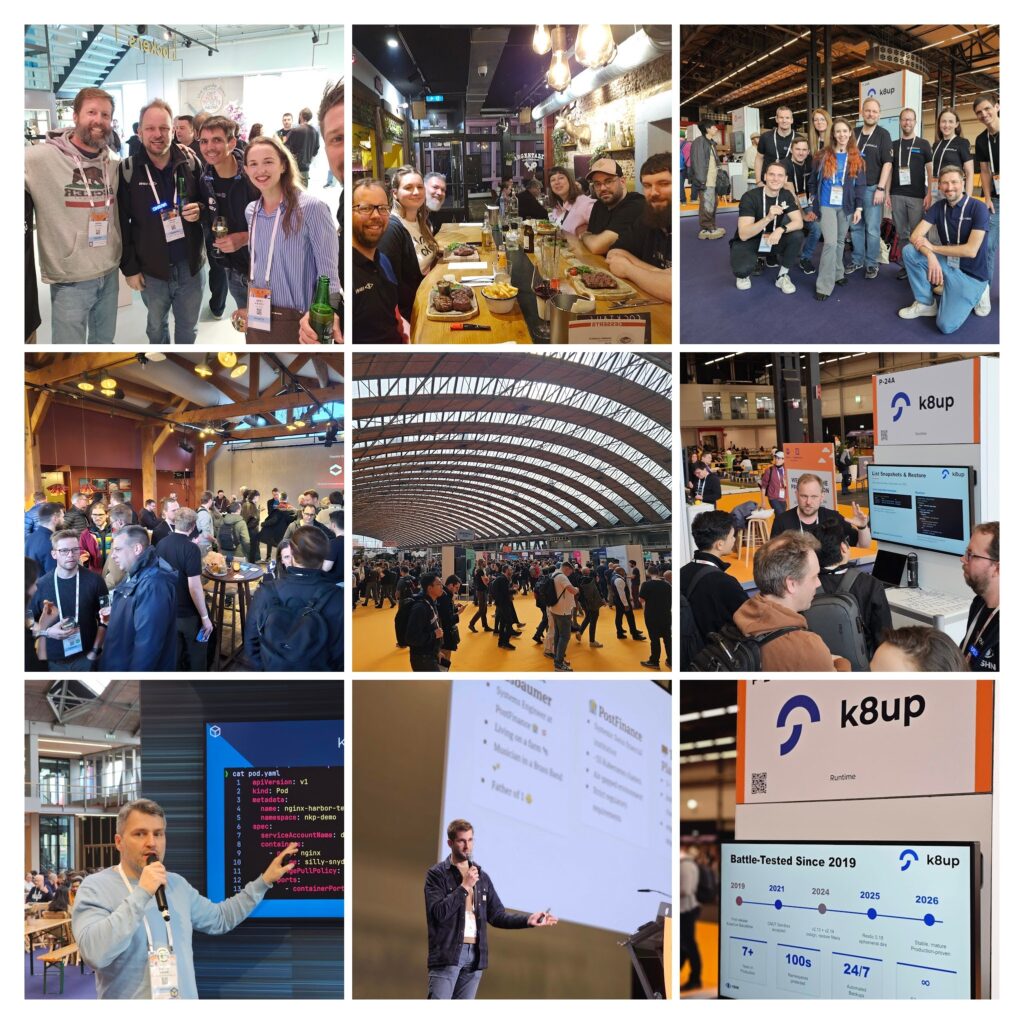
KubeCon + CloudNativeCon Europe 2026 in Amsterdam is coming to an end – and it once again showed why this event remains the beating heart of the cloud native ecosystem.

A Clear Direction: Sovereignty and “Agentic” AI

Two themes were impossible to miss this year.

First: digital sovereignty.
Not as a buzzword, but as a real, practical goal. Across talks and discussions, it became clear that organizations are actively looking for ways to build independent, resilient platforms – based on open standards and open ecosystems.

Second: AI – especially “agentic” systems.
From hallway conversations to keynote stages, the focus has shifted from experimentation to application. The big question is no longer if AI will be integrated into platforms, but how.

K8up: Strong Interest and a Call for Maintainers

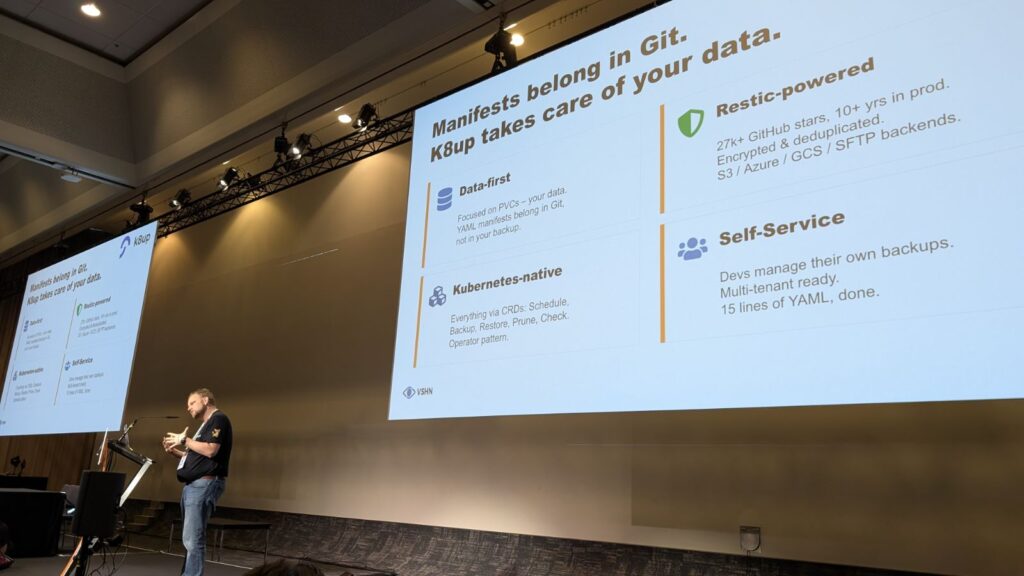
One of the highlights for us was the strong interest in K8up.

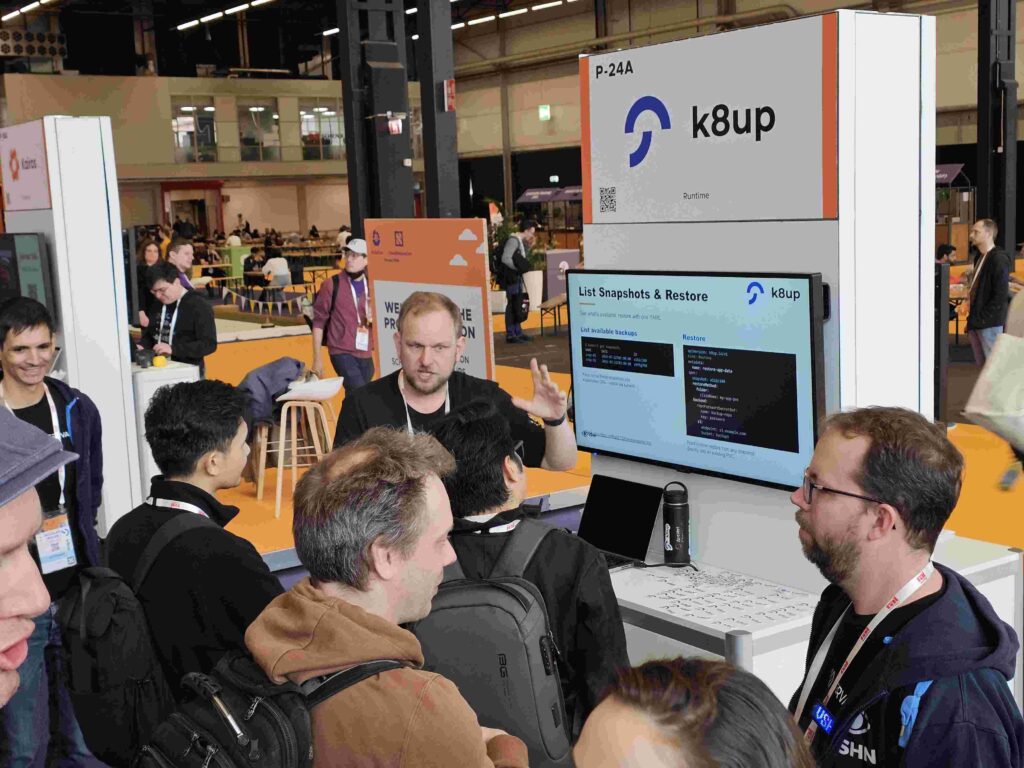
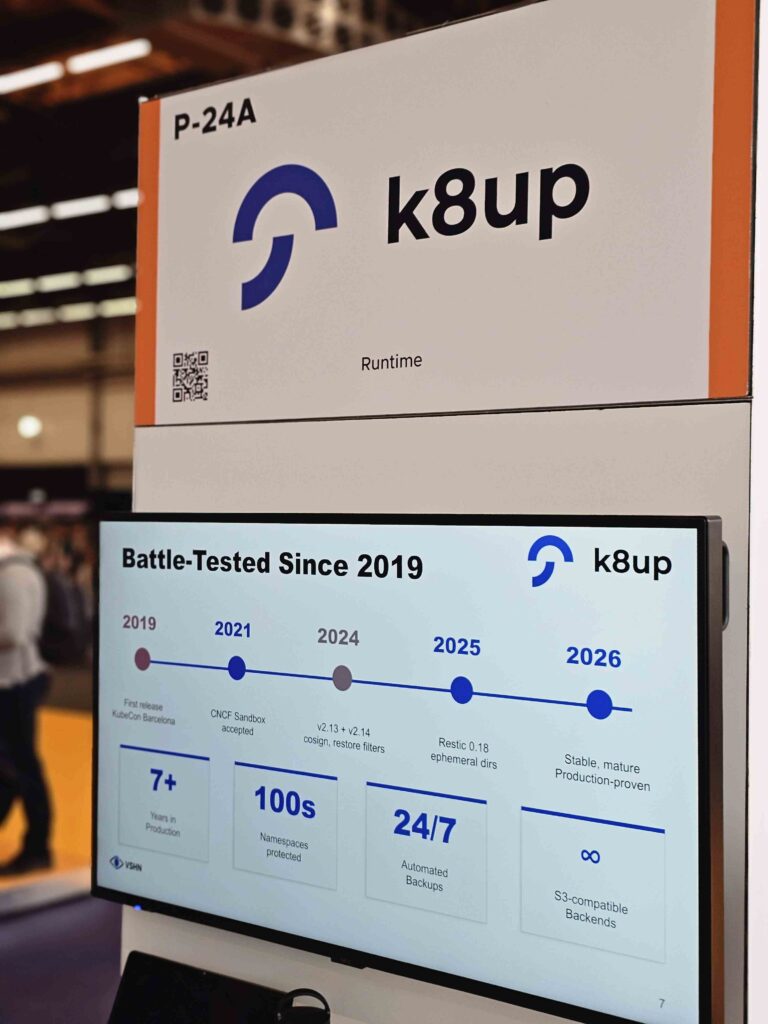
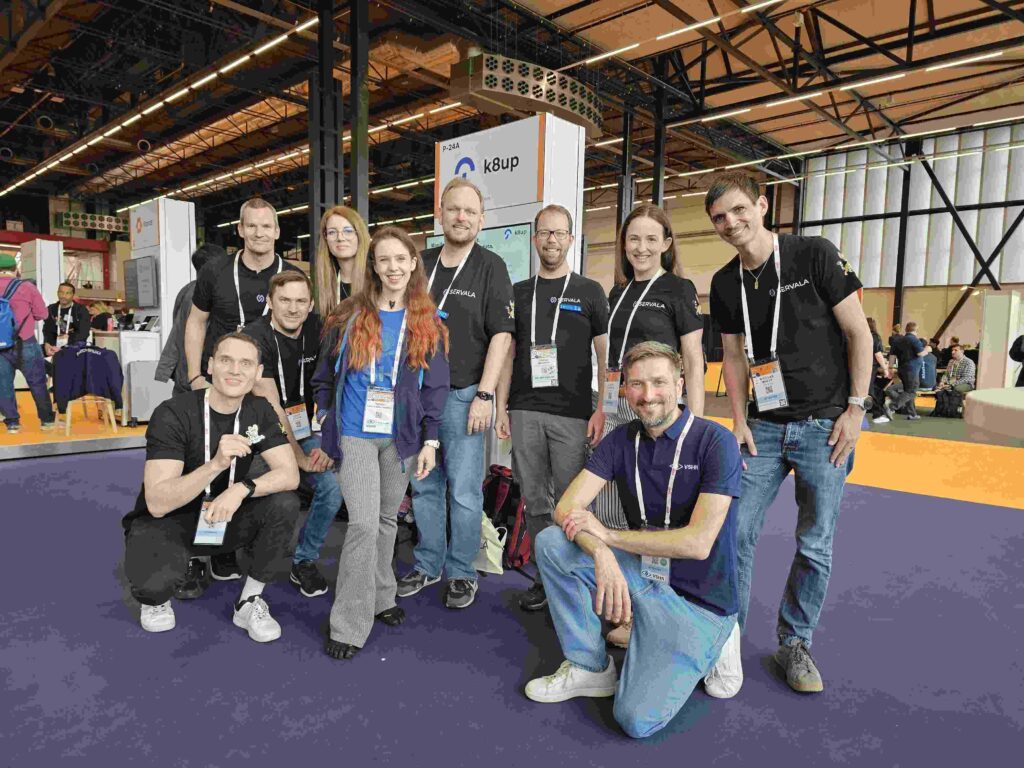
At the K8up kiosk in the Project Pavilion, we had many great conversations with users, contributors, and curious newcomers.

It became clear:
👉 The need for simple, reliable Kubernetes backup solutions is growing
👉 The community around K8up is highly engaged
👉 There is real momentum to push the project forward together

At the same time, we’re actively looking for maintainers and contributors to help shape the future of K8up.

If you’re interested in getting involved, join the discussion here:
https://github.com/k8up-io/k8up/issues/1187

Lightning Talk: Aarno on Stage

A special moment was Aarno Aukia’s lightning talk on K8up.

Short, focused, and right to the point – it sparked great discussions afterwards and brought even more attention to the project.

(And yes – in true Kubernetes fashion, there was even a live moment where an NGINX ingress got archived during a talk. Cloud native never gets boring.)

Servala: From Concept to Real Interest

Servala – Sovereign App Store was another big topic throughout the week, not only because of the goodie bags for the KubeTrain attendees:

What stood out most was the level of understanding and curiosity.

The conversations have clearly evolved:

  • From ‘What is Servala?’
  • To ‘How can we participate?’

This reflects a broader shift in the industry – towards ecosystems instead of isolated platforms, and towards practical implementations of sovereignty.

Switzerland Punching Above Its Weight

One thing that stood out clearly this year: Switzerland’s impact on the cloud native ecosystem is disproportionately strong.

Despite its size, Switzerland contributed 3 out of 48 CNCF projects present at KubeCon – roughly 6%.
Projects like Harbor, K8up and Capsule are actively shaping the ecosystem.

And that’s only part of the story.

When including major contributions such as Cilium, the influence of Swiss engineering and open source involvement becomes even more significant.

But it’s not just about projects.

Switzerland was highly visible across the board:

  • Talks and lightning talks
  • Maintainers and contributors
  • Active community participation
  • Strong presence at events and discussions

This combination of engineering quality, open collaboration and community engagement is what makes the Swiss cloud native scene stand out.

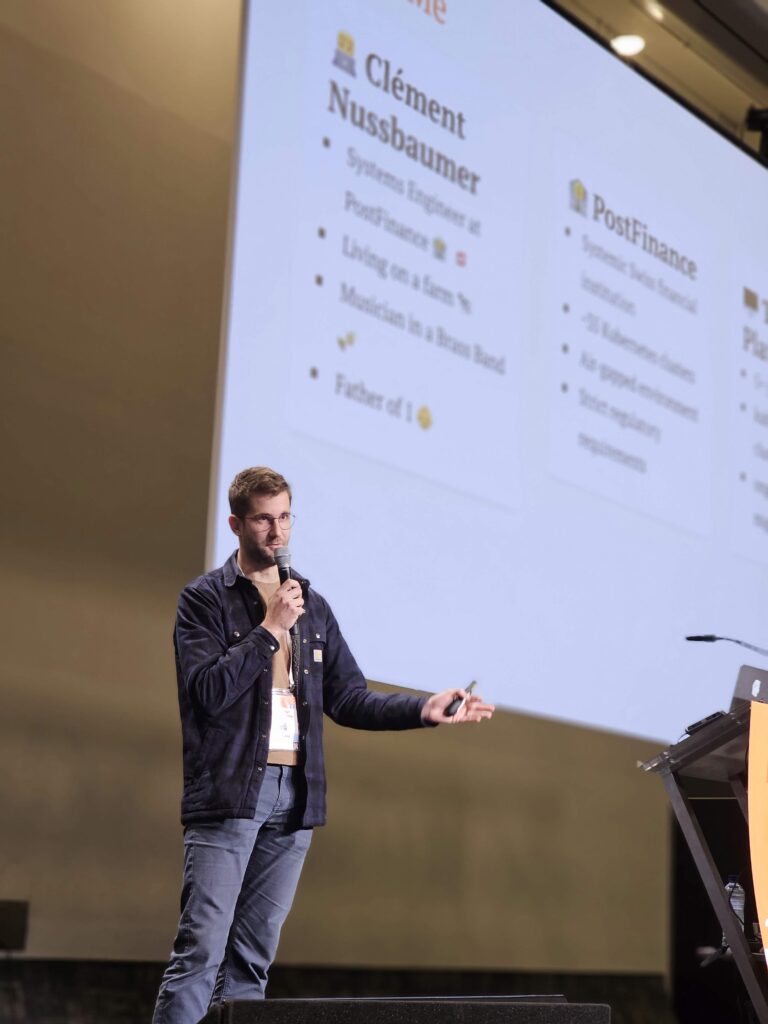
Clément Nussbaumer – PostFinance

A perfect example of what makes this community special:
Open, collaborative, and deeply involved.

Because in the end, the best conversations often happen outside of the actual sessions.

The Swiss Apéro – Community at Its Best

One of the highlights of the week was the KubeCon Swiss Apéro organized by Rocket Engineers.

Around 130 people from the Swiss cloud native community came together in Amsterdam.

More Than Just Talks

Beyond the official program, KubeCon once again delivered a full week of side events and community moments:

  • KubeTrain
  • KubeCon Swiss Apero
  • Upbound, Isovalent and many more community events
  • Countless spontaneous meetups and discussions

These moments are where ideas turn into collaborations.

What We Take Away

KubeCon Europe 2026 confirmed a few key trends:

  • Sovereignty is becoming a real, actionable priority
  • AI is moving into practical, platform-level use cases
  • Open ecosystems are replacing isolated solutions
  • Community remains the driving force behind everything

And maybe most importantly:

👉 The best ideas don’t happen in isolation – they happen when people come together

Thank You, Amsterdam

A big thank you to everyone we met throughout the week – partners, contributors, customers and the broader cloud native community.

We’re heading home with new ideas, new connections, and a lot of momentum.

See you next year in Barcelona!

Markus Speth

Marketing, Communications, People

Contact us

Our team of experts is available for you. In case of emergency also 24/7.

Contact us
General Kubernetes

Best Kubernetes Distributions in 2026 – And Why You Might Not Want to Run Them Yourself

2. Mar 2026

Kubernetes has become the backbone of modern digital infrastructure – powering everything from SaaS platforms to mission-critical systems in healthcare, finance, and public administration.
Yet one thing is still widely underestimated: Kubernetes by itself is not enough.

Running Kubernetes in production requires far more than the upstream project. You need networking, storage, observability, security hardening, upgrade tooling, and operational processes – all tightly integrated and continuously maintained.

That’s where Kubernetes distributions come in.

And if you don’t want to run all that complexity yourself, there’s another step up the abstraction ladder: Managed Kubernetes or Managed OpenShift.

In this post, we look at the Kubernetes distribution landscape in 2026 and explain why outsourcing operations is often the smartest choice.

What Is Kubernetes?

Kubernetes (K8s) is the open source orchestration system for containerized applications. Originally released by Google, it has become the de-facto standard for deploying, scaling, and operating containers across cloud, hybrid, and on-premises environments.

Today, Kubernetes is governed by the Cloud Native Computing Foundation (CNCF), ensuring vendor-neutral development, open standards, and a strong community-driven roadmap.

Kubernetes itself is best understood as the engine.
To actually go somewhere, you need the car built around it – and that’s exactly what Kubernetes distributions provide.

If you want to learn more about Kubernetes itself – what it does and how it powers modern applications – check out: What is Kubernetes? The Engine of the Digital World, Simply Explained.

Kubernetes Version Support in 2026

The latest Kubernetes version as of March 2nd, 2026 is v1.35. The Kubernetes project maintains release branches for the most recent three minor releases (currently 1.35, 1.34, 1.33). Kubernetes 1.19 and newer receive approximately 1 year of patch support. Kubernetes 1.18 and older received approximately 9 months of patch support.

At any given time, the three most recent minor versions are in mainstream support, with each release supported for roughly 14 months. This means regular upgrades are not optional – they are a core operational requirement.

Industry reports consistently show that the majority of production clusters run supported versions, but a significant share still lags behind due to operational complexity. According to Datadog’s 2025 Kubernetes adoption report, 78% of hosts are running Kubernetes versions in mainstream support, 19% are on older versions with extended support, and only 3% are running unsupported releases. This highlights how important regular updates and lifecycle management have become in production environments – and how easily they can be overlooked in self-managed setups.

What Defines a Kubernetes Distribution?

Much like Linux – where the kernel is combined with drivers, utilities, and configuration to form a complete operating system (a Linux distribution) – Kubernetes also needs to be bundled with essential tools and services to be usable in production. That’s what a Kubernetes distribution provides.

Just as there are different Linux distributions tailored for different needs – like Ubuntu, Debian or Red Hat Enterprise Linux (RHEL) – there are also many Kubernetes distributions, each offering different trade-offs in terms of usability, support, performance, and ecosystem integration.

A Kubernetes distribution is a pre-packaged version of upstream Kubernetes that combines the core components (API server, scheduler, controller manager, etc.) with the tools and services needed to operate it reliably.

Typical features bundled by distributions include:

  • Installer and upgrade tooling for control plane and worker nodes
  • Networking (CNI), ingress, and sometimes service mesh
  • Storage support through CSI drivers and backup integration
  • Security features like authentication, RBAC, and audit logs
  • Monitoring, logging, and alerting (often based on Prometheus and friends)
  • Developer tooling like GitOps pipelines, CLI, or dashboards

A distribution helps standardize your setup, reduce integration effort, and align with best practices. But even the best distribution still needs to be installed, upgraded, patched, and supported – which brings us to the next level.

Kubernetes and Red Hat OpenShift in 2026

Red Hat OpenShift is probably the most famous Kubernetes distribution and it comes with a clear opinionated approach. It builds on upstream Kubernetes and extends it into a full application platform.

Key characteristics of OpenShift include:

  • Full-stack lifecycle management and upgrades
  • Integrated developer experience with pipelines, GitOps, and image builds
  • OperatorHub for lifecycle-managed services
  • Strong multi-tenancy, access control, and policy enforcement
  • Built-in observability and compliance capabilities

OpenShift is designed for production from day one, particularly in regulated environments or large organizations that value consistency and governance.

The current OpenShift 4.21 platform (released in February 2026) is based on Kubernetes 1.34 and CRI-O 1.34. It reinforces OpenShift’s position as a trusted and comprehensive application platform where AI workloads, containers, and virtualization run side by side – across hybrid cloud environments, with integrated tools and services for cloud-native, virtual, and traditional applications.

If you’re in a regulated industry or need a platform that’s ready for production from day one, OpenShift is a strong candidate. If you prefer flexibility or want a minimal setup, other distributions might be a better fit.

The Kubernetes Distribution Landscape in 2026

While there are dozens of Kubernetes distributions, most fall into four practical categories.

Enterprise-Grade Kubernetes Distributions

Designed for large-scale and regulated environments with strong lifecycle management and governance requirements:

  • Red Hat OpenShift – feature-rich, highly integrated platform with built-in governance, observability, and developer tooling
  • VMware Tanzu Kubernetes Grid – integrates tightly with vSphere and enterprise lifecycle tooling
  • D2iQ Kubernetes Platform (DKP) – focuses on multi‑cluster, hybrid and edge operations with strong lifecycle and governance capabilities.
  • Mirantis Kubernetes Engine (MKE) – hardened enterprise distro with support for air-gapped and FIPS-compliant environments
  • Rancher RKE2 – secure Kubernetes distribution focused on hybrid and multi-cluster operations

Enterprise distributions often provide lifecycle automation (upgrades, patching), hardened security (CIS Benchmarks, FIPS), and tools for consistent multi-cluster policy enforcement and hybrid-cloud deployment.

Cloud-Managed Kubernetes Services

These services abstract away most of the control plane and offer Kubernetes as a service:

  • Amazon Elastic Kubernetes Service (EKS)
  • Google Kubernetes Engine (GKE)
  • Azure Kubernetes Service (AKS)
  • IBM Cloud Kubernetes Service, Oracle OKE, and others

These are ideal if you prefer to consume Kubernetes without managing infrastructure. They’re tightly integrated with their respective cloud ecosystems and handle the upgrades for you.

Lightweight and Edge-Optimized Kubernetes

Perfect for IoT, remote locations, or constrained environments:

  • k3s (by Rancher) – single-binary Kubernetes for edge, CNCF-certified
  • k0s (by Mirantis) – minimal, declarative, and ideal for embedded or hybrid deployments
  • MicroK8s – Canonical’s snap-based distribution for edge and dev/test
  • Talos Linux + Kubernetes – fully immutable and API-driven

These distributions prioritize small footprint, minimal dependencies, and low operational overhead.

Self-Hosted Open Source Kubernetes Distributions

These are open source Kubernetes distributions aimed at teams that want full control and flexibility over their clusters. They come without vendor lock-in, but require more operational effort.

  • OKD – community distribution that forms the upstream of Red Hat OpenShift
  • RKE2 (Rancher Kubernetes Engine 2) – secure, hardened Kubernetes distribution by Rancher
  • Charmed Kubernetes – Canonical’s opinionated but modular Kubernetes stack
  • Talos Linux + Kubernetes – fully immutable and API-managed Linux OS designed for Kubernetes

They provide flexibility, but managing lifecycle, upgrades, and integrations remains your responsibility.

Why Choose Managed Kubernetes or Managed OpenShift?

Even with a well-designed distribution, operating Kubernetes remains complex.

Teams are responsible for:

  • Cluster health, availability and scaling
  • Regular upgrades and security patching
  • Incident response and troubleshooting
  • Governance across multiple clusters or environments
  • Compliance and audit readiness

Managed Kubernetes and Managed OpenShift services exist to offload exactly this burden.

At VSHN, we operate Kubernetes and OpenShift clusters with clear SLAs and production-grade processes, including:

  • Automated upgrades and lifecycle management
  • 24/7 SLA-backed monitoring and incident response
  • Consistent multi-cluster governance and policy enforcement
  • Integration with managed databases, identity, and observability services
  • Support for hybrid, multi-cloud, and sovereign cloud environments
  • Proven compliance with ISO 27001, ISAE 3402 Report Type 2, KCSP, and Red Hat Premier CCSP standards

With a managed approach, your team no longer needs deep Kubernetes operations expertise in-house. You can focus on applications, innovation, and delivery – while we handle the complexity of the underlying platform.

Why Talos Makes Managed Kubernetes Even Stronger

Modern, immutable foundations like Talos Linux fundamentally change how Kubernetes clusters are operated.

Talos removes entire classes of operational and security risks by design:

  • No SSH access
  • No package manager
  • No configuration drift
  • Fully declarative and API-driven

In a managed setup, Talos enables highly standardized, reproducible, and secure clusters at scale.
Upgrades become predictable, rollback-safe, and auditable – making Talos particularly attractive for regulated and sovereign environments.

Combined with managed operations, Talos represents a clear direction for the future of Kubernetes: immutable, automated, and reliable.

So – Which Kubernetes Distribution Should You Choose?

Here’s a quick guide based on your needs:

  • Want a full-featured platform for hybrid cloud with enterprise support? → Red Hat OpenShift
  • Prefer cloud-native services with minimal operational overhead? → EKS, GKE, AKS
  • Need lightweight, minimal, or edge-ready setup? → k3s or k0s
  • Want full control and are ready to do the work? → RKE2, MicroK8s, OKD
  • Want the benefits without the operational burden? → Go with a Managed Kubernetes or Managed OpenShift provider like VSHN

Final Thoughts

In 2026, Kubernetes is firmly established as the engine of the digital world. From cloud-native applications to mission-critical systems in enterprise and public sector environments, Kubernetes has become the foundation of modern IT platforms.

However, choosing the right Kubernetes distribution is only the first step. The real challenge lies in operating Kubernetes securely, reliably, and compliantly over time – especially in complex, regulated, or fast-growing environments.

In the enterprise space, Red Hat OpenShift has emerged as the de-facto standard. Its combination of mature lifecycle management, integrated security, strong governance mechanisms, and a comprehensive toolchain for developers and operators makes OpenShift the first choice for many organizations – particularly where compliance, scalability, and operational stability are critical.

At the same time, lightweight and modern distributions such as k3s, k0s, and Talos illustrate where Kubernetes technology is heading. Immutable, API-driven, and highly automated platforms significantly reduce operational complexity and attack surfaces. Their full potential, however, is only realized when they are operated in a standardized and professionally managed way.

This is where Managed Kubernetes, Managed OpenShift and Cloud Platform Operations come into play. They combine modern platform technologies with proven operational processes, clear SLAs, and continuous improvement. Teams can focus on applications, innovation, and business value without maintaining deep Kubernetes operations expertise in-house.

Whether it is OpenShift in the enterprise, cloud-managed Kubernetes, or modern immutable platforms like Talos, the decisive factor is not the distribution itself but an operating model that consistently delivers security, stability, and scalability.

If you want to run Kubernetes sustainably, securely, and future-proof, adopting a managed approach is often the most effective path – both technically and organizationally.

👉 Learn more about our offering:

Markus Speth

Marketing, Communications, People

Contact us

Our team of experts is available for you. In case of emergency also 24/7.

Contact us
Events General Kubernetes

VSHN at KubeCon Europe 2026 in Amsterdam – we look forward to seeing you!

11. Dec 2025

KubeCon + CloudNativeCon Europe 2026 – the cloud native community meets again in Amsterdam

From 23 – 26 March 2026, KubeCon + CloudNativeCon Europe returns to beautiful Amsterdam and brings together thousands of cloud native practitioners, platform engineers, SREs, developers and open source enthusiasts. For VSHN, this event has been one of the most important community gatherings for many years, and 2026 is no exception.

We will be on-site throughout the week, connecting with the community, learning about the latest CNCF developments, sharing our experience in operating reliable Kubernetes and OpenShift platforms, and meeting partners, customers, friends and fellow cloud native enthusiasts.

Community support – KubeTrain and KubeTrain Party

We are very excited to support the community as sponsor of KubeTrain 2026 and the KubeTrain Party.

KubeTrain – 22 March 2026: A fun and sustainable journey for everyone traveling together to KubeCon in Amsterdam. This initiative brings cloud native fans onto one train and creates networking and great conversations along the way.

KubeTrain Party – 22 March 2026: After arrival, the excitement continues at the official KubeTrain Party. Drinks, music, networking and a great start into KubeCon week.

Meet us at the KubeCon Swiss Apéro

Swiss Apéro – 24 March 2026: We will also be present and sponsoring the KubeCon Swiss Apéro 2026. It takes place at the Beach House, Strandzuid, Europaplein 22, 1078 GZ Amsterdam from 18:30. You can look forward to an evening full of conversations about Kubernetes, OpenShift, platform engineering, digital sovereignty, Servala and more.

Why you should meet us at KubeCon

VSHN is not just another Kubernetes service provider. For more than ten years, we have helped shape the cloud native landscape in Switzerland and beyond.

Here is why a conversation with us is worth your time:

  • We are the first Swiss Kubernetes Certified Service Provider (KCSP)
  • We are the first Swiss Red Hat Premier CCSP Partner
  • We operate Kubernetes and OpenShift platforms for organizations across Europe and beyond
  • We build and run Servala – the Sovereign App Store. Servala connects companies, developers and cloud providers with secure, scalable and user-friendly cloud native services and applications
  • Application Catalog – a large selection of managed services that integrate seamlessly into your development workflow
  • APPUiO – expert hosting for expert software engineers based on OpenShift
  • VSHN Solutions – your DevOps enabler – individual, modular, scalable
  • We help teams improve developer productivity, reliability and operational excellence
  • We live open source, collaboration and sustainable ecosystems
  • We actively grow and support the cloud native community

Our blog post What is Kubernetes? The Engine of the Digital World, Simply Explained explains the basics of Kubernetes in a simple and understandable way.

Our CNCF Sandbox Project – K8up

We also maintain our own CNCF Sandbox Project: K8up, a backup operator for Kubernetes and OpenShift that helps teams run backup and restore processes securely and automatically. As active maintainers, we contribute to strengthening the open source ecosystem and providing reliable tools for the Kubernetes community.

Community engagement – organizers of the largest cloud native meetup group in Switzerland

We organize the Cloud Native Computing Switzerland Meetup group with more than 3000 members, one of the most active tech communities in the country.

Our next Cloud Native Computing Meetup will take place on 10 March 2026 at the VSHNtower in Zurich – with exciting talks, exchange and networking. Join us.

And if you would like to contribute a talk, submit it here: https://cnc-meetup.ch/

What we are looking forward to at KubeCon 2026

  • The ongoing evolution of the Kubernetes ecosystem
  • Platform Engineering as a key discipline for modern software teams
  • Digital sovereignty and European alternatives
  • AI-assisted operations and smarter automation
  • New CNCF projects shaping the future of cloud native

Let us meet in Amsterdam

If you are attending KubeCon Europe 2026, we would love to meet you. Whether you want to talk about Kubernetes operations, OpenShift, Servala, cloud native strategies, backups with K8up or simply grab a coffee – get in touch with us.

You will find us:
🚆 On the KubeTrain
🎉 At the KubeTrain Party
🫕 At the Swiss Apéro
🇳🇱🌷🚲 All around KubeCon in Amsterdam

We look forward to seeing you in Amsterdam. Let us shape the future of cloud native together.

Markus Speth

Marketing, Communications, People

Contact us

Our team of experts is available for you. In case of emergency also 24/7.

Contact us
Events General Kubernetes

KCD Suisse Romande 2025 at CERN – Community, Cloud Native, and Two Great Days in Geneva

5. Dec 2025

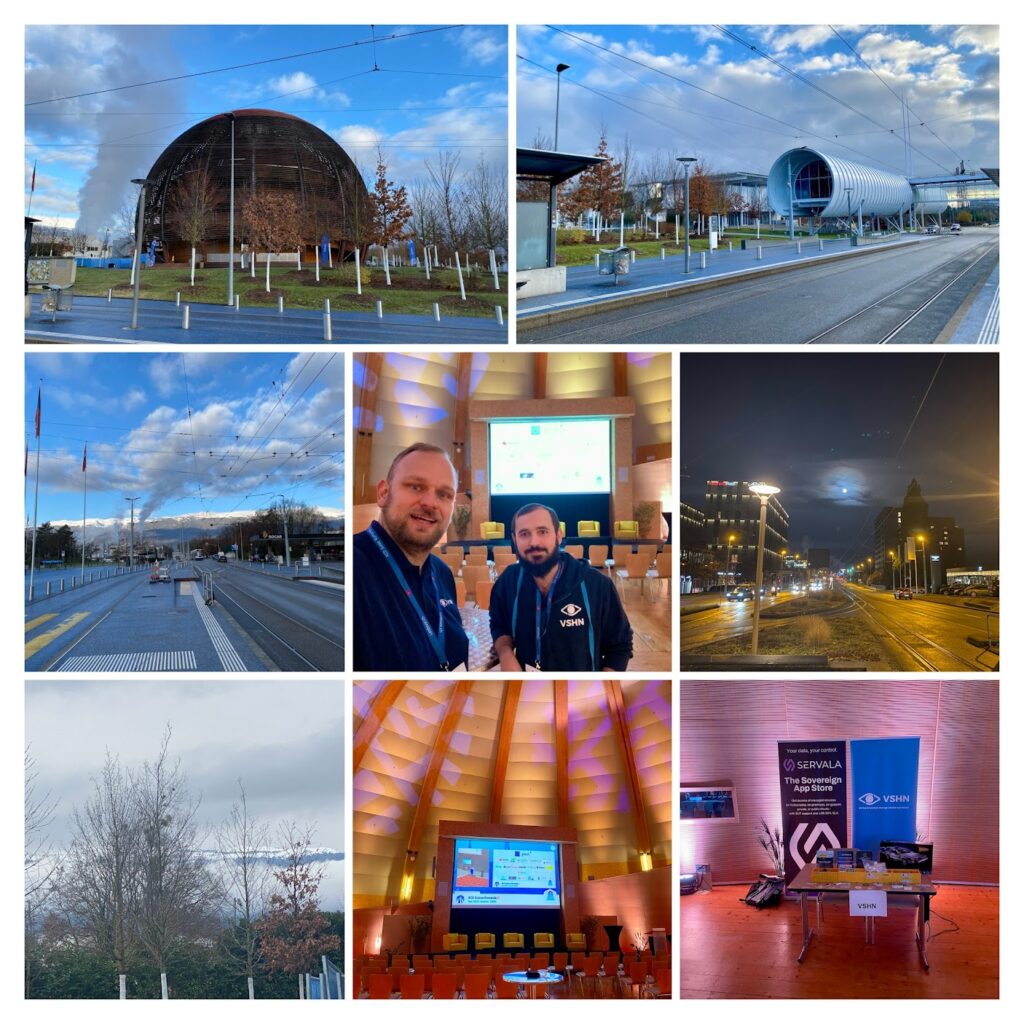
The first Kubernetes Community Days Suisse Romande took place on December 4-5, 2025 – and what a venue: CERN Science Gateway in Geneva. A place where science meets innovation made the perfect backdrop for the local cloud native community to come together, share ideas, learn, and collaborate.
VSHN was proud to be Silver Sponsor of the KCD.

Around 300 participants from Switzerland and beyond gathered for two days filled with workshops, sessions, hallway talks, and a whole lot of Kubernetes energy. The atmosphere was fantastic – friendly, curious, and buzzing with exchange. Exactly what KCDs should be about.

Workshops, Talks and Great People

Day 1 kicked off with three parallel hands-on workshops, followed by CERN and LHC tours for those lucky enough to grab a spot. The combination of technology and the magic of CERN definitely created excitement early on.

Day 2 continued with even more workshops – and later the stage belonged to the speakers. Nearly 50 sessions touched on Kubernetes, platform engineering, open source tooling, DevOps culture, security, AI topics and more. Talks were held in French and English, highlighting the multilingual and open nature of the Swiss tech scene.

Among the featured speakers were well-known community voices including:

  • Jessie Frazelle – Zoo.dev
  • Sarah Novotny – Kosai / Operant AI
  • Mauricio Salatino – LearnK8s
  • Aurélie Vache – OVHcloud
  • Engin Diri – Pulumi
  • Shérine Khoury – Red Hat
  • Luc Juggery – Exoscale
  • Kasper Nissen – Lunar

But beyond names and sessions, what stood out most were conversations in the corridors, shared learnings, and genuine collaboration. Networking at events like this is where ideas turn into projects.

Why Events like KCD Matter

KCDs are community-driven by design – organized for practitioners and by practitioners, supported by CNCF. They create a space where we meet as peers, share solutions, discuss challenges, and grow together. For us at VSHN, this is exactly the spirit we believe in.

Cloud native is evolving fast – platforms, automation, developer experience, sovereignty, and AI are changing how we build and operate software. Meeting the community in person helps everyone stay ahead and shape what’s next. Aarno and Pierre were very happy to meet so many interested people.

See You Again in 2026

A huge thank you to the Cloud Native Suisse Romande organizers, all speakers, sponsors, and every participant we met at the booth.
We loved the conversations, the exchange, and the energy inside CERN.

Already looking forward to next year!

📬 Want to continue the conversation about Kubernetes, OpenShift, or Servala?
Reach out – we’re happy to connect.

👉 More info about KCD Suisse Romande

Markus Speth

Marketing, Communications, People

Contact us

Our team of experts is available for you. In case of emergency also 24/7.

Contact us
General Kubernetes

What is Kubernetes? The Engine of the Digital World, Simply Explained

22. Jul 2025

1. For the Curious but Non-Technical – What Are Containers, and What Is Kubernetes?

Imagine Switzerland’s world-famous logistics system: trains, trucks, planes, and, well, not too many ships – all reliably moving goods through mountains, valleys, cities, and across borders.

Now picture a few freight trains: each wagon is loaded with a container, and each container holds a specific product – cheese from Gruyères, watches from Biel, or chocolate from Bern.

In the digital world, software containers work the same way. Each container carries a specific application or service, along with everything it needs to run – the code, settings, and dependencies – so it can be moved and operated anywhere, whether that’s a laptop, a data center, or the cloud.

But what if you had hundreds or thousands of these containers running at once – all needing to be loaded, routed, monitored, restarted if they fail, and scaled up when demand grows?

That’s where Kubernetes comes in.

Just like a logistics control center coordinates trains, planes, and trucks across Switzerland and beyond, Kubernetes coordinates software containers. It decides where they should run, makes sure they’re healthy, scales them up and down, and restarts them if something goes wrong – all automatically.

Originally developed by Google, Kubernetes was inspired by the company’s internal system “Borg” and released as open source in 2014. Today, it’s maintained by the Cloud Native Computing Foundation and backed by a global community.

And even if you’ve never heard of Kubernetes before, it’s likely already part of your life. From online banking to e-commerce shops to streaming services – many of the apps you use every day are running on Kubernetes behind the scenes.

Just one example:

In short:

  • A container is a standardized software package that runs anywhere
  • Kubernetes is the smart system that operates thousands of containers efficiently

Without Kubernetes, companies would have to manage each container manually – like sending cargo across Switzerland without signals, schedules, or a central control tower.

A few ideas on how to explain Kubernetes in one sentence: 😊

2. A bit more technical – What Kubernetes actually does

Modern applications are no longer monolithic – they’re modular, cloud-native, and increasingly built around DevOps workflows. Instead of installing software directly on static servers, teams now package their applications into containers – lightweight, isolated units that include everything an app needs to run.

Now imagine you’re running:

  • 50 services
  • 500 containers
  • Across multiple environments (development, testing, production)
  • In a mix of public cloud, private servers, and edge locations

Managing that manually is not just difficult – it’s nearly impossible. That’s where Kubernetes comes in.

Kubernetes solves problems like:

  • Automatically starting and stopping containers based on real-time demand.
  • Restarting containers when something goes wrong.
  • Ensuring services are available and responsive.
  • Rolling out updates without downtime.
  • Distributing workloads to avoid overloading servers.

Real-world examples:

  • In retail: online shops use Kubernetes to handle traffic spikes, such as those on Black Friday. Kubernetes scales up – and then back down again to save costs.
  • In finance: Banks use Kubernetes to run apps that need high security and zero downtime, while continuously deploying new features.
  • In healthcare: Patient data platforms use Kubernetes to ensure compliance, redundancy, and secure access.
  • In SaaS: Tech companies use Kubernetes to ship updates faster, run multiple versions in parallel, and reduce infrastructure overhead.

Without Kubernetes, teams would still rely on scripts and manual steps to deploy and maintain software – slowing down innovation and increasing the risk of failure.

3. For the Tech-Curious – Clusters, Distributions, and What VSHN Does

What is a Kubernetes Cluster?

A single Kubernetes system is called a cluster. It includes:

  • Control plane: the brains of the operation, deciding what should run where.
  • Worker nodes: the servers where containers actually run.
  • Services and tools to keep things secure, observable, and resilient.

You can have a small cluster on your laptop or a massive multi-cluster setup across global data centers.

What is a Kubernetes Distribution?

Kubernetes is open source, but it comes in different versions called distributions – similar to how Linux has different flavors like Ubuntu or Red Hat. These are tailored variants of Kubernetes with added features, support, or integration.

Example Kubernetes distributions include:

  • Vanilla Kubernetes – the plain open source version.
  • Red Hat OpenShift – adds developer tools, hardened security, and enterprise support.
  • Rancher – focuses on multi-cluster and edge use cases.
  • EKS, AKS, GKE – managed Kubernetes services by AWS, Azure, and Google.

Each distribution serves different needs. Some focus on governance and compliance, others on developer experience or cost efficiency.

What VSHN Does with Kubernetes

At VSHN, Kubernetes is the backbone of everything we do.

We were the first Swiss Kubernetes Certified Service Provider (KCSP) and the first Swiss Red Hat Premier Certified CCSP Partner – official recognitions of our deep expertise and long-standing commitment to the Kubernetes ecosystem.

VSHN manages hundreds of Kubernetes clusters for customers of all sizes – from startups to banks and public institutions – running in public cloud, private cloud, on-premises, or Swiss or EU sovereign clouds like Exoscale, Cloudscale or IONOS.

We offer:

  • Managed OpenShift – We set up and operate your OpenShift cluster and take care of its entire lifecycle: security, monitoring, upgrades, and backups.
  • APPUiO – Expert hosting for expert software engineers. Our OpenShift Project-as-a-Service offering, ideal for getting started with Kubernetes at low cost. Try APPUiO for free at appuio.cloud/register with the code: K8s2025
  • Servala – Sovereign App Store – Our newest platform lets you deploy fully managed services – like databases, developer tools, and monitoring – in just a few clicks, all powered by Kubernetes.

Over the years, we’ve developed automation frameworks, monitoring tools, and proven best practices to help our customers focus on building software – not managing infrastructure.

Out of this experience, we’ve also launched two Open Source projects:

  • K8up – A Kubernetes backup operator and CNCF Sandbox project.
  • Project Syn – A modular, secure toolbox to manage fleets of Kubernetes clusters.

Where do Red Hat, OpenShift, and VSHN fit in the railway analogy?

Let’s stay with our Swiss railway analogy.

  • Kubernetes is the Swiss railway infrastructure – tracks, switches, schedules, and the control center. It ensures all trains (containers) run safely and efficiently.
  • Red Hat OpenShift is the premium freight rail operator – it adds polished locomotives, cargo workflows, and integrated safety systems to the tracks.
  • VSHN is your logistics partner and train operator – we run and maintain the network, the trains, and even the cargo. We make sure everything is on time, scalable, and secure.

Even better: with our Solutions, we don’t just operate the trains – we help you load, monitor, and optimize the containers inside.

And Servala? Think of it as the logistics warehouse next to the railway yard – a place where you can grab pre-packed cargo (managed services) and deploy it directly onto your Kubernetes rail network with a few clicks.

In this picture:

  • Red Hat builds the system and provides the premium trains (OpenShift).
  • VSHN operates the system reliably for you (Managed OpenShift, VSHN Solutions).
  • You focus on your cargo (apps) – while we ensure everything runs like a Swiss clock.

Why You Should Care – Even If You’re Not a Dev

Kubernetes is behind many of the services you use every day:

  • Online banking
  • E-commerce shops
  • Streaming services
  • Public digital services

Kubernetes is also a key technology for teams adopting DevOps – helping developers and operations work together more efficiently through automation, self-service infrastructure, and repeatable workflows.

For businesses, Kubernetes enables:

  • Faster time to market – deploy features daily, not quarterly.
  • Higher reliability – systems recover automatically from failure.
  • Cost optimization – only use the resources you need, when you need them.
  • Vendor flexibility – avoid cloud lock-in by running your workloads anywhere.

TL;DR

In 2025, Kubernetes is no longer a luxury – it’s the foundation of modern IT. Not just for tech giants – but for any team that wants to work faster and better. Kubernetes automates the deployment, scaling, and reliable operation of modern applications – in the cloud, on-premises, or in hybrid environments.

At VSHN, we make Kubernetes simple, reliable, and accessible – so you can build great digital products.

Further Reading

Curious how Kubernetes can help your team? Get in touch with us – we’d love to show you.

Disclaimer: This text was partially written by a human.

Markus Speth

Marketing, Communications, People

Contact us

Our team of experts is available for you. In case of emergency also 24/7.

Contact us
Kubernetes Tech

Stay Ahead of the Game with Kubernetes

13. Jan 2023

Kubernetes is a powerful platform for deploying and managing containerized applications at scale, and it has become increasingly popular in Switzerland in recent years.

One way to approach it is outsourcing. This can be a strategic and cost-effective option for organizations that do not have the in-house DevOps expertise, know-how, or resources to manage their infrastructure and application operations efficiently.

Not every tech company is in the business of building platforms and operating Kubernetes clusters. Thus by partnering with an experienced partner, companies can tap into a wealth of knowledge and expertise to help them run their applications.

Some companies adopt Kubernetes and look to leverage its capabilities themselves. It’s essential to consider time, effort, and possible implications while utilizing the latest developments and continually adding value to the core business.

In all cases, it will be helpful to align with fundamentals. For this reason, I have compiled a quick guide to Kubernetes in 2023 and best practices in Switzerland.

  1. Understand the basics: Before diving into Kubernetes, have a solid understanding of the reasoning and concepts. This could include cloud infrastructure, networking, containers, how they liaise with each other, and how they can be managed with Kubernetes.
  2. Plan your deployment carefully: When deploying applications with Kubernetes, you must plan thoroughly and consider your workloads’ specific needs and requirements. This includes but is not limited to resource requirements, network connectivity, scalability, latency, and security considerations.
  3. Use appropriate resource limits: One of the critical benefits of Kubernetes is its ability to manage resources dynamically based on the needs of your applications. To take advantage of this, try to set appropriate resource limits for your application. This will help ensure that your application has the resources they need to run effectively while preventing them from consuming too many resources and impacting other applications.
  4. Monitor your application: It’s essential to monitor your applications and the underlying Kubernetes cluster to ensure they are running smoothly and to identify any issues that may arise. You want to analyze the alerts and react accordingly. You can use several tools and practices to monitor your applications, including log analysis, monitoring with tools like Prometheus and Grafana, and alerting systems.
  5. Use appropriate networking configurations: Networking is critical to any Kubernetes deployment, and choosing the proper network configuration is substantial. What about load balancing, service discovery, and network segmentation?
  6. Secure your application: Security is a top concern for many companies and organizations in Switzerland. You cannot proceed without ensuring that your Kubernetes deployment is secure. At this stage, your team is implementing network segmentation, using secure container runtime environments, and implementing advanced authentication and authorization systems.
  7. Consider using a managed Kubernetes service: For companies without the resources or needing DevOps expertise to manage their clusters, managed Kubernetes services can be a business-saving solution. With managed services, you can get a production-ready cluster, i.e., a fully-managed Kubernetes environment, allowing teams and software engineers to focus on developing new features and deploying their applications rather than managing the underlying infrastructure.
  8. Stay up-to-date with the latest developments: The Kubernetes ecosystem is constantly evolving, and it’s better to stay up-to-date with the latest developments and best practices. This may involve subscribing to newsletters like VSHN, VSHN.timer, or Digests, attending conferences and CNCF meetups, and following key players in the Kubernetes community.

By following best practices, IT leaders, stakeholders, and decision-makers can ensure that they use Kubernetes constructively and get the most out of the platform technology.

Aarno Aukia

Aarno is Co-Founder of VSHN AG and provides technical enthusiasm as a Service as CTO.

Contact us

Our team of experts is available for you. In case of emergency also 24/7.

Contact us
Kubernetes Tech

What is a Kubernetes distribution and what are the differences between Kubernetes and OpenShift?

30. Aug 2018

Update: here’s the Kubernetes distributions 2026 overview.

At VSHN and APPUiO.ch we rely on OpenShift as Kubernetes distribution. What a Kubernetes distribution is, why we use it and where the differences to ‘plain’ Kubernetes will be explained in this blog post.

What is Kubernetes?

The official description of Kubernetes is:

Kubernetes is a portable, extensible open-source platform for managing containerized workloads and services, that facilitates both declarative configuration and automation.

The most important part of this description is the fact that Kubernetes is a platform and not a ready off-the-shelf product. This is an important piece of information for understanding this article.

What is a Kubernetes distribution?

To understand the differences between Kubernetes and OpenShift, first of all we have to clarify the term ‘Kubernetes distribution’: if Kubernetes is installed directly from the open source Kubernetes project, you ‘only’ get the core components (API server, controller manager, scheduler, Kubelet, kube-proxy). In order for Kubernetes to be really usable, you need a lot of other components like etcd, ingress controller, logging server, metrics collector (for example Prometheus), software defined network (SDN) and many more. This is very similar to Linux: the Linux kernel alone does not help much, you need a whole Linux distribution which provides a shell, package management, boot process and much more.

OpenShift is a Kubernetes distribution and makes Kubernetes a product

A ‘minimum viable Kubernetes distribution’ requires the following additional components and tools for productive operation:

  • Installation and upgrade mechanism: for an automated installation of all involved components.
  • SDN (software defined network): pods must be able to communicate with each other no matter where they are running. The SDN ensures that.
  • Ingress controller: to allow user access to applications running on the cluster.
  • Authentication: a central user and group database provides the authenticated and authorized access.
  • Security: Kubernetes executes containers via Docker or CRI-O. The security on the host system must be ensured accordingly.
  • Persistent storage: stateful applications such as databases require persistent storage.
  • Monitoring: constant monitoring of all cluster components and applications.
  • Backup: backup of cluster components and persistent data.

Optionally, further components are recommended:

  • Central logging with graphics and searchability
  • Application and cluster metrics including alerting

OpenShift as Kubernetes distribution

Essentially, OpenShift relies 100% on Kubernetes, but as a Kubernetes distribution, it comes with everything needed for a Kubernetes cluster. To name just the most important functions:

  • Operations tools: an official and supported way via Ansible allows the entire lifecycle of OpenShift to be executed. This includes the automated installation, as well as upgrades to newer versions of OpenShift.
  • Router: the OpenShift router (ingress controller) – based on HAProxy – ensures that access to applications within the cluster is made possible via HTTP(S).
  • Multi-tenancy: multi-tenancy is built-in the core on OpenShift projects, RBAC and other concepts to allow the use of the platform by various stakeholders.
  • Authentication: the most different authentication backends are supported, above all LDAP, Active Directory (AD) and others.
  • Metrics: the bundled metrics component collects all available data (RAM, CPU, network) of the applications running on the cluster and visualizes them in the web console.
  • Central logging: all lines logged by the application on stdout are automatically collected by the central logging component and are made available to the user via the web console.
  • Security: the platform is designed for maximum security. For example, security measures in the kernel of Red Hat Enterprise Linux like SELinux ensure that the security of the containers is guaranteed. Further measures such as ‘security context constraints’ (SCC) and the prevention of root containers ensure further security.
  • Builds and pipelines: directly in the cluster integrated build and pipeline capabilities enable a fully integrated CI / CD workflow.
  • Web console: all operations on the cluster are visually displayed to the user of the platform in a web console and allow an easy and quick access to the use of Kubernetes.
  • SDN: the included software defined networking provides connectivity between the pods running on the platform and for an adequate network security with network policies.
  • Container registry: Docker / container images are stored in the bundled registry and used for deployment onto the worker nodes.

All these built-in functionalities can be added to any Kubernetes cluster, but only with a lot of effort. Comparable to building your own Linux distribution, as for example  Linux From Scratch demonstrates. Kubernetes has a similar guide called Kubernetes The Hard Way.

OpenShift as PaaS

The strength of Kubernetes lies in the container orchestration. In addition, OpenShift offers classic Platform-as-a-Service (PaaS) functionalities. One of these is the automatic building and deployment of application code directly from a Git repository. Nevertheless, as a user of the platform and thanks to its great flexibility, you always have the choice of whether you want to use the integrated build functions, or rather build outside the cluster. This can be chosen for each deployment, so both types can be used on one cluster.

OpenShift as upstream to Kubernetes

Many developments in Kubernetes originally came from OpenShift. The best example is RBAC (role based access control). This feature has been part of OpenShift since the first release and has been gradually integrated into Kubernetes. RBAC has been an integral part of Kubernetes since Kubernetes version 1.6. The OpenShift ‘Route’ or the ‘DeploymentConfiguration’ object also played a key role in the current objects ‘Ingress’ and ‘Deployment’ in Kubernetes.
Since OpenShift is 100% based on Kubernetes, all Kubernetes native workloads are also supported, such as the ‘Deployment’ or the ‘Ingress’ object.
If you look more closely at the contributor statistics, you’ll find that Red Hat is one of the top 3 contributor companies, so Red Hat is crucial in the development of Kubernetes. With the purchase of the company CoreOS, Red Hat has acquired formidable Kubernetes know-how. The merger of OpenShift and Tectonic will be the next milestone of the Kubernetes distribution OpenShift.

Alternatives to OpenShift

OpenShift is not the only Kubernetes distribution on the market. A quick comparison shows the differences:

  • Cloud vendor Kubernetes: the big clouds offer their own Kubernetes distributions as a service. These are tailored to the respective cloud and are maintained by the providers. Installation on your own private cloud or on other public clouds is not possible.
  • Rancher: since version 2.0, Rancher focuses 100% on Kubernetes and offers a multi-cluster management function as a major strength. With Rancher, Kubernetes clusters in the cloud (for example, on Amazon or Google) can be managed centrally, as well as Kubernetes clusters with the ‘Rancher Kubernetes Engine’ on your own VMs. With the web interface, setting up a new cluster is very easy and application deployments using Helm are also directly available.
  • Tectonic: this distribution lies great importance on cloud-native automation. Through Red Hat’s acquisition of CoreOS, Tectonic will be merged with OpenShift and many of its features will inserted into OpenShift.
  • Canonical / Ubuntu Kubernetes: platform based on Ubuntu, which uses Juju as installation tool. In partnership with Google and Rancher, a hybrid cloud solution will be offered in the future.
  • SUSE CaaS platform: a very new platform based on SUSE MicroOS. Salt is used to ensure configuration management. Under the following link you can participate in the beta program: SUSE CaaS Platform Beta.

Further Kubernetes distributions include:

One very important aspect to consider is the cloud and / or vendor lock-in. Many of the Kubernetes distributions have their own characteristics, which may not be compatible with each other. Using the example of ‘cloud vendor’ distributions: these can only be used in the corresponding cloud. However, if you want to pursue a hybrid cloud approach, this is not possible due to the lock-in. In contrary, a self-installable distribution like OpenShift makes this option possible.
Pure open source distributions without manufacturer support are not recommended for productive environments, as this is of great advantage for a complex platform like Kubernetes.

APPUiO – Swiss Container Platform

The attentive reader may have noticed that there are some discrepancies between the ‘minimum viable Kubernetes distribution’ and OpenShift. This is exactly where APPUiO comes in: we refine OpenShift into a comprehensive, production-ready Kubernetes distribution by offering managed services. We automatically monitor and secure the cluster status, take care of regular updates, fix bugs, provide persistent storage and help with our know-how to make the most out of the platform.

More information about Kubernetes and OpenShift

At the Cloud Native Meetup on August 28, 2018 in Zurich, we also talked about Kubernetes distributions: you can find the slides on Speaker Deck. You can also find more about OpenShift, Docker and Kubernetes here. Another recommendable blog post on this topic by Tomasz Cholewa: 10 most important differences between OpenShift and Kubernetes (English, technical).

How can we help?

Through our experience in operating OpenShift clusters around the world, we offer managed OpenShift clusters on almost any public, private or on-premise cloud. Or are you interested in another Kubernetes distribution than OpenShift? We gladly help you with the evaluation, integration and operation and support with our many years of Kubernetes experience.
Contact us, follow us on Twitter or take a look on our services.
We are looking forward to your feedback! 

Tobias Brunner

Tobias Brunner is working since over 20 years in IT and more than 15 years with Internet technology. New technology has to be tried and written about.

Contact us

Our team of experts is available for you. In case of emergency also 24/7.

Contact us